


In the fast-paced world of software architecture, communication diagrams serve as the visual backbone of how services interact. They map out the flow of data between components, outlining the sequence of messages and the objects involved. However, a static image in a document repository often fails to reflect the reality of a deployed system. APIs change frequently—endpoints are added, signatures shift, and deprecation schedules roll out. When diagrams do not keep pace with these changes, they become liabilities rather than assets.
Treating communication diagrams as a living document is not just a best practice; it is a necessity for maintainable systems. This guide explores how to synchronize visual architecture with evolving codebases, ensuring clarity for developers, stakeholders, and new team members.
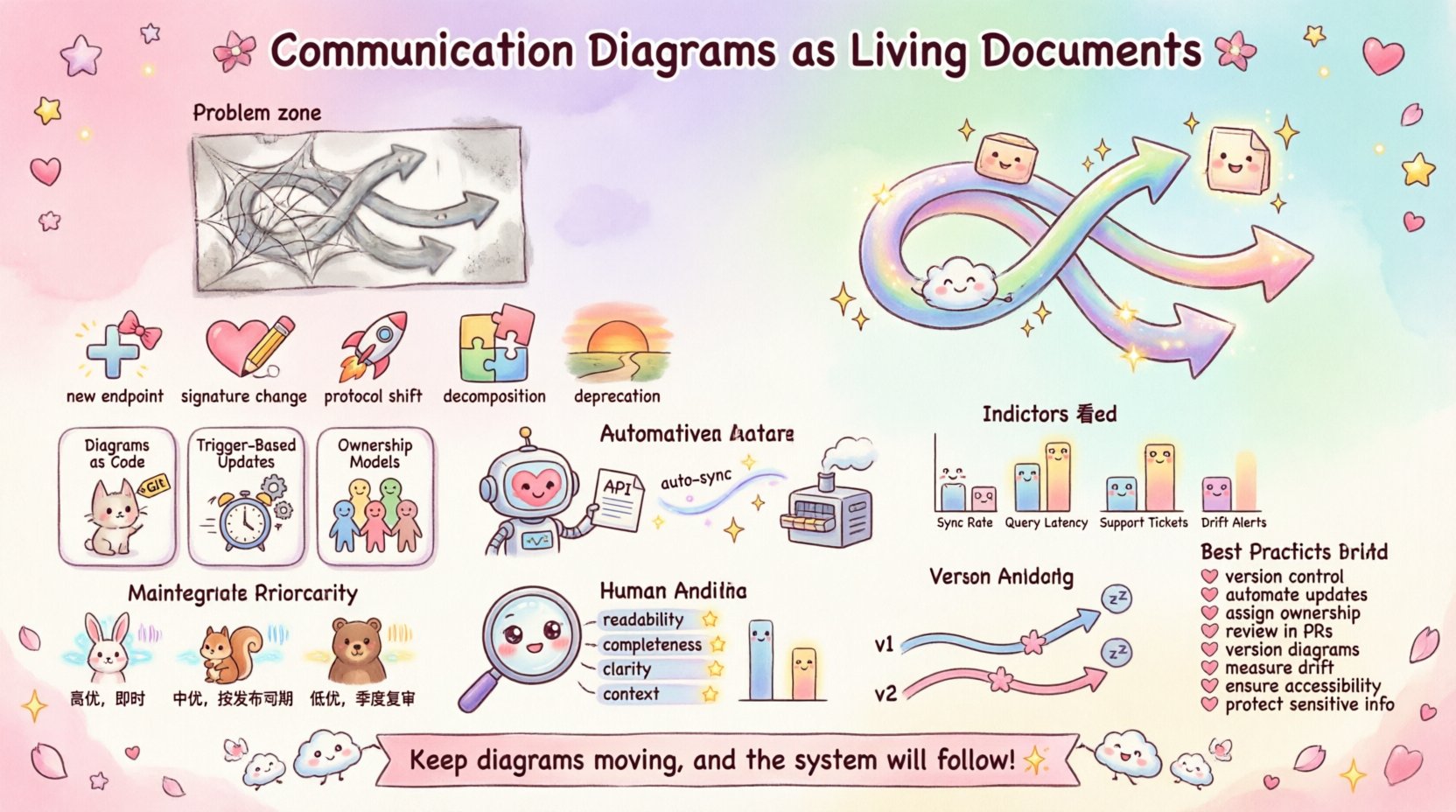
📉 The Problem with Static Documentation
One of the most common issues in technical projects is documentation drift. This occurs when the written or visual description of a system diverges from the actual implementation. In the context of communication diagrams, this drift happens for several reasons:
- Development Velocity: Code is often pushed multiple times a day, while documentation updates happen on a schedule that is too infrequent.
- Ownership Ambiguity: No single person feels responsible for updating the diagram when a feature is merged.
- Tooling Friction: Manual drawing tools require too much effort to maintain compared to the speed of coding.
- Version Misalignment: The diagram reflects version 1.0 of an API, but the service is running version 2.0.
When a diagram is stale, developers waste time verifying information that is incorrect. New hires rely on outdated maps to navigate the codebase, leading to confusion and potential errors. This creates a cycle where trust in the documentation erodes, and people stop reading it entirely.
🛠️ Understanding API Evolution
To keep diagrams alive, one must understand the nature of API evolution. APIs are not static contracts; they are living contracts that grow and change. There are specific triggers that necessitate a diagram update:
- New Endpoints: When a service exposes a new route for data retrieval or submission.
- Signature Changes: When request or response bodies alter their structure.
- Protocol Shifts: Moving from one version of a protocol to another, such as HTTP/1.1 to HTTP/2.
- Decomposition: When a monolithic service is split into microservices, altering the interaction map.
- Deprecation: Removing old pathways that clients should no longer use.
Each of these events represents a change in the topology of the system. A communication diagram must capture these topological shifts to remain useful. Ignoring them leads to architectural debt, where the visual representation of the system becomes a source of misinformation.
🔄 Strategies for Synchronization
Aligning diagrams with code requires a shift in mindset. Instead of viewing diagrams as final deliverables, treat them as artifacts that exist alongside the code. Here are core strategies to achieve this alignment:
1. Diagrams as Code
Just as you version control your source code, you should version control your diagrams. Storing diagram definitions in the same repository as the API specification allows for:
- Traceability: You can link a specific commit in the code to a specific revision of the diagram.
- Reviewability: Diagram changes can be reviewed in pull requests alongside code changes.
- Automation: Scripts can parse the code to generate or validate the diagram automatically.
2. Trigger-Based Updates
Instead of scheduling manual updates, use triggers. A change in the API specification file should automatically signal a need to update the diagram. This can be achieved through:
- CI/CD Pipelines: Run a validation job whenever a pull request modifies the API schema.
- Webhooks: Notify the documentation team when a deployment occurs.
- Linters: Use tools that check if the diagram matches the current API definition.
3. Ownership Models
Who is responsible for the diagram? Often, this is left undefined. Establish clear ownership:
- Service Owners: The lead engineer for a specific microservice owns the diagram for that service.
- Architects: Senior engineers oversee the consistency of the diagram across the entire system.
- Technical Writers: They facilitate the process but do not create the technical details alone.
🤖 Automation and Integration
Manual updates are prone to human error and are often the first thing to be skipped under pressure. Automation reduces the cognitive load on developers and ensures consistency. Consider the following integration points:
- API Specification Parsing: Use standard formats to extract endpoint details. These details can then be fed into a diagram generation engine.
- Dependency Mapping: Automatically detect service dependencies by analyzing the codebase or network traffic logs.
- Version Tagging: Embed version numbers directly into the diagram metadata to ensure users know which API version is depicted.
- Notification Systems: If the diagram is out of sync with the live API, alert the relevant team members immediately.
Automation does not mean removing humans from the loop. It means handling the repetitive parts of maintenance so humans can focus on the complex logic and structural changes.
📋 Maintenance Schedule and Impact
Not all changes require an immediate diagram update. Some changes are internal refactors that do not alter the external contract. To manage the workload, categorize changes by their impact on the diagram.
| Change Type | Impact on Diagram | Update Frequency | Responsibility |
|---|---|---|---|
| New Endpoint | High – Adds new node and connection | Immediate (Per PR) | Service Owner |
| Parameter Change | Medium – Updates label details | Immediate (Per PR) | Service Owner |
| Internal Logic Refactor | Low – No visual change | Quarterly Review | Architecture Team |
| Service Decomposition | High – New nodes, altered flows | Project Phase | Lead Architect |
| Protocol Upgrade | Medium – Changes transport labels | Per Release | DevOps Lead |
This table helps teams prioritize their efforts. High-impact changes require immediate attention to prevent confusion. Low-impact changes can be batched into regular review cycles.
🧠 The Human Review Process
Automation handles the syntax and the basic structure, but humans must validate the semantics. A diagram might be technically accurate but confusing to read. The human review process should focus on:
- Readability: Is the flow logical? Are the labels clear?
- Completeness: Does the diagram cover all critical paths?
- Clarity: Are edge cases or error flows represented?
- Context: Does the diagram explain why data flows this way, not just how?
Integrate diagram reviews into the standard code review process. When a developer opens a pull request that affects the API, they should include a screenshot or link to the updated diagram. This ensures that the visual documentation evolves at the same speed as the code.
📈 Measuring Documentation Health
How do you know if your diagrams are working? You need metrics to track the health of your documentation. Consider tracking the following indicators:
- Sync Rate: The percentage of API changes that have corresponding diagram updates within a set timeframe.
- Query Latency: How long does it take a new developer to find the correct diagram for a service?
- Support Tickets: Is there a reduction in questions about API interactions after documentation updates?
- Drift Alerts: How many times does the automated system detect a mismatch between the code and the diagram?
Regularly reviewing these metrics helps identify bottlenecks in the documentation workflow. If the drift rate is high, the automation is insufficient. If support tickets remain high, the diagrams may be unclear or hard to find.
🚀 Handling Versioning and Deprecation
APIs often run multiple versions simultaneously during transition periods. A single diagram cannot represent all versions effectively without becoming cluttered. Strategies for handling this include:
- Version Branching: Maintain separate diagram files for major versions (e.g., v1-diagram, v2-diagram).
- Highlighting Changes: Use visual cues to show what is new in the current version versus the previous one.
- Deprecation Notices: Clearly mark endpoints that are scheduled for removal with a distinct style or label.
- Linking to Specs: Provide direct links to the specific API specification version referenced in the diagram.
This approach prevents confusion where a developer sees a deprecated endpoint in a diagram but finds it removed in the current codebase. Clear versioning ensures that the diagram remains a reliable reference point.
🤝 Collaboration and Culture
Ultimately, keeping diagrams alive is a cultural issue. It requires a team environment where documentation is valued as much as functionality. Leaders should:
- Allocate Time: Explicitly budget time for documentation updates in sprint planning.
- Reward Accuracy: Acknowledge contributors who keep documentation in sync.
- Encourage Questions: Foster an environment where team members feel comfortable asking about the architecture.
- Share Knowledge: Use diagrams as the primary medium for onboarding and design discussions.
When documentation is treated as a shared responsibility, the quality improves naturally. Developers stop viewing diagram updates as an administrative burden and start seeing them as part of the engineering process.
🔍 Detecting and Resolving Drift
Even with automation, drift can occur. Here is a process for detecting and resolving it:
- Scan: Run an automated scan comparing the current API spec against the stored diagram.
- Report: Generate a report listing specific discrepancies (e.g., missing endpoints, changed parameters).
- Triage: Assign the discrepancies to the appropriate service owners.
- Update: Modify the diagram to match the current reality.
- Verify: Run the scan again to ensure all issues are resolved.
This loop ensures that the system self-corrects over time. It prevents small errors from accumulating into a state where the documentation is completely unreliable.
🌐 Accessibility and Distribution
Living documents are useless if they are hard to find. Ensure that your diagrams are accessible to the right people:
- Centralized Repository: Host all diagrams in a searchable knowledge base.
- Search Optimization: Use tags and metadata so diagrams appear in relevant search results.
- Embedding: Embed diagrams directly into the API documentation pages for context.
- Export Options: Allow users to export diagrams in formats suitable for different needs (e.g., PDF for reports, SVG for presentations).
Accessibility reduces friction. If a developer can find the diagram with one click, they are more likely to use it as a reference during development.
🛡️ Security and Sensitivity
Communication diagrams often reveal the internal structure of a system, including service names and interaction patterns. When keeping these documents alive, consider security:
- Access Control: Restrict access to internal diagrams to authorized personnel only.
- Data Masking: Remove sensitive identifiers or internal IP addresses from public-facing versions.
- Versioning History: Maintain a history of diagram changes to track who accessed or modified sensitive information.
Security must be balanced with the need for transparency. The goal is to share enough information for collaboration without exposing vulnerabilities.
🔄 Continuous Improvement
The process of maintaining living documents is iterative. You will find that some strategies work better than others. Regularly solicit feedback from the team:
- Surveys: Ask developers if the current documentation helps them.
- Retrospectives: Discuss documentation challenges during sprint retrospectives.
- Audits: Conduct quarterly audits of the documentation quality and accuracy.
By continuously refining the process, the team can adapt to new tools and changing project requirements. The diagram remains a living document not just because it is updated, but because the process of updating it evolves.
🎯 Summary of Best Practices
- Store diagrams in version control alongside code.
- Automate updates triggered by API specification changes.
- Assign clear ownership for diagram maintenance.
- Review diagrams as part of the code review process.
- Version diagrams to match API versions.
- Measure drift and sync rates to track health.
- Ensure diagrams are accessible and searchable.
- Protect sensitive architectural information.
By adopting these practices, teams can ensure that their communication diagrams remain accurate, useful, and reflective of the system they represent. This alignment reduces friction, accelerates onboarding, and lowers the risk of integration errors. The diagram becomes a true partner in the development lifecycle, not just a relic of the past.
💡 Final Thoughts on Documentation Hygiene
Maintaining communication diagrams as living documents requires discipline and the right tools. It is not a one-time task but a continuous practice integrated into the development workflow. When teams prioritize the accuracy of their visual architecture, they invest in the long-term health of their software. The effort pays off in reduced misunderstandings, faster development cycles, and a more cohesive team culture. Keep the diagrams moving, and the system will follow.