


Introduction
In today’s fast-paced digital landscape, visual communication is no longer optional—it’s essential. Whether you’re presenting complex data, telling a brand story, or simplifying educational content, infographics help your message resonate faster and deeper. But creating professional-quality visuals traditionally required design expertise, time, and expensive software.
That’s where Visual Paradigm’s AI Infographic Generator transforms the game. With its recent major updates—including a revamped user interface, innovative hand-drawn style support, and a streamlined three-step creation workflow—this AI-powered tool now makes it easier than ever for anyone to turn ideas into stunning, share-ready infographics. This comprehensive guide walks you through the platform’s capabilities, real-world use cases, key benefits, and step-by-step workflows to help you unlock the full potential of AI-driven visual storytelling.
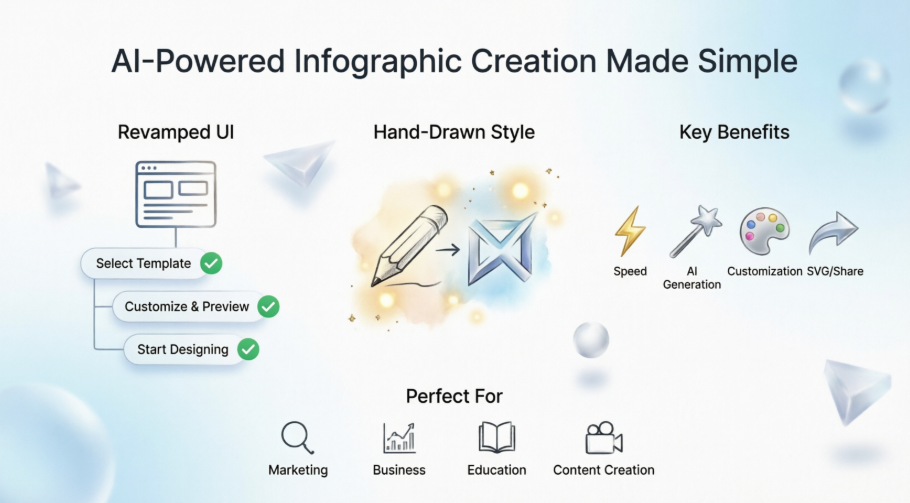
What Is Visual Paradigm’s AI Infographic Generator?
Visual Paradigm’s AI Infographic Generator is an intelligent, cloud-based design tool that leverages artificial intelligence to automate the creation of professional infographics from simple text prompts. Designed for marketers, educators, business professionals, and content creators, it combines smart content generation with flexible design controls to produce visually compelling outputs—no design experience required.
At its core, the tool:
-
Interprets your topic or data input
-
Generates structured content (titles, descriptions, charts, icons)
-
Applies professional layouts and styling
-
Offers real-time customization and preview
-
Exports high-quality, scalable files (SVG) or shareable links
It’s more than just a template filler—it’s a creative partner that accelerates your workflow while maintaining brand consistency and visual impact.
Key Enhancements: A Smarter, More Intuitive Experience
1. Completely Revamped User Interface for Seamless Workflow
Visual Paradigm has unified the settings panel and infographic editor into one cohesive, intuitive screen. This eliminates context-switching and keeps your creative flow uninterrupted.
The creation process now follows a clear three-step approach:
Step 1: Select Infographic Template
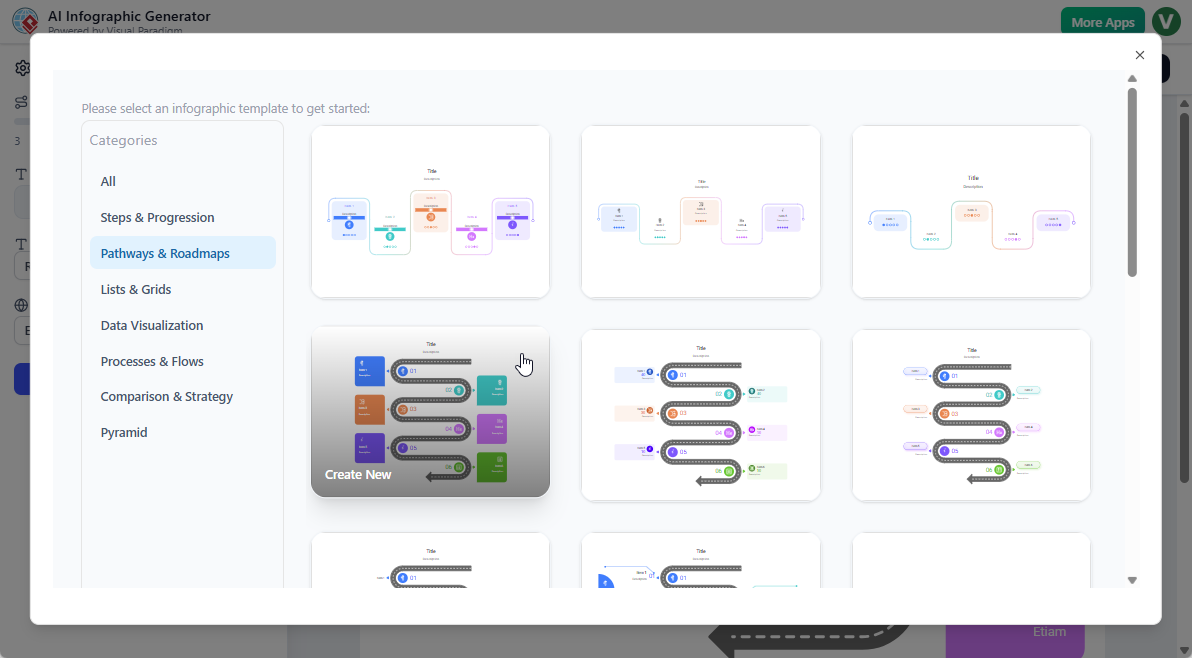
Choose from a library of professionally designed templates categorized by use case: timelines, comparisons, processes, statistics, and more. Each template is optimized for clarity and visual hierarchy.
Step 2: Customize & Preview Instantly
Use the convenient side pane to adjust:
-
Number of content items
-
Font family and size
-
Language preferences
-
Color schemes and layout density
Changes are reflected in real-time on the infographic preview to the right, so you can fine-tune your look before committing.
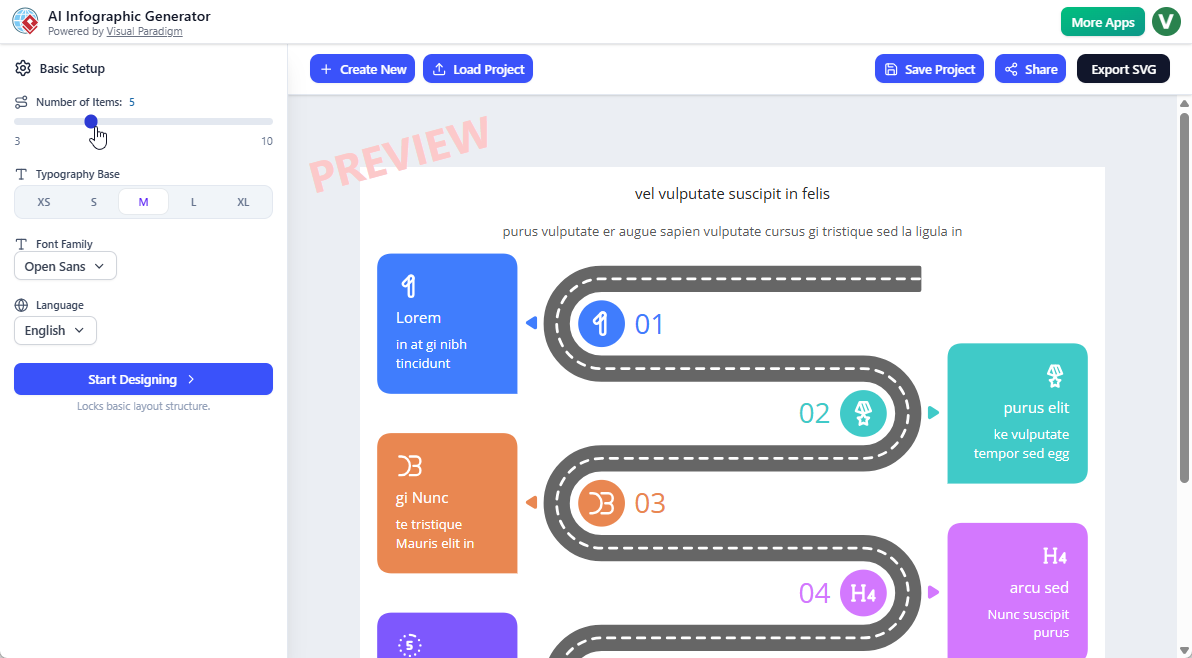
Step 3: Start Designing
Once satisfied with the settings, simply click Start Designing. From here, you can:
-
Manually edit text, icons, and layout elements
-
Let the AI generate smart, structured content tailored to your topic
-
Iterate rapidly with instant feedback
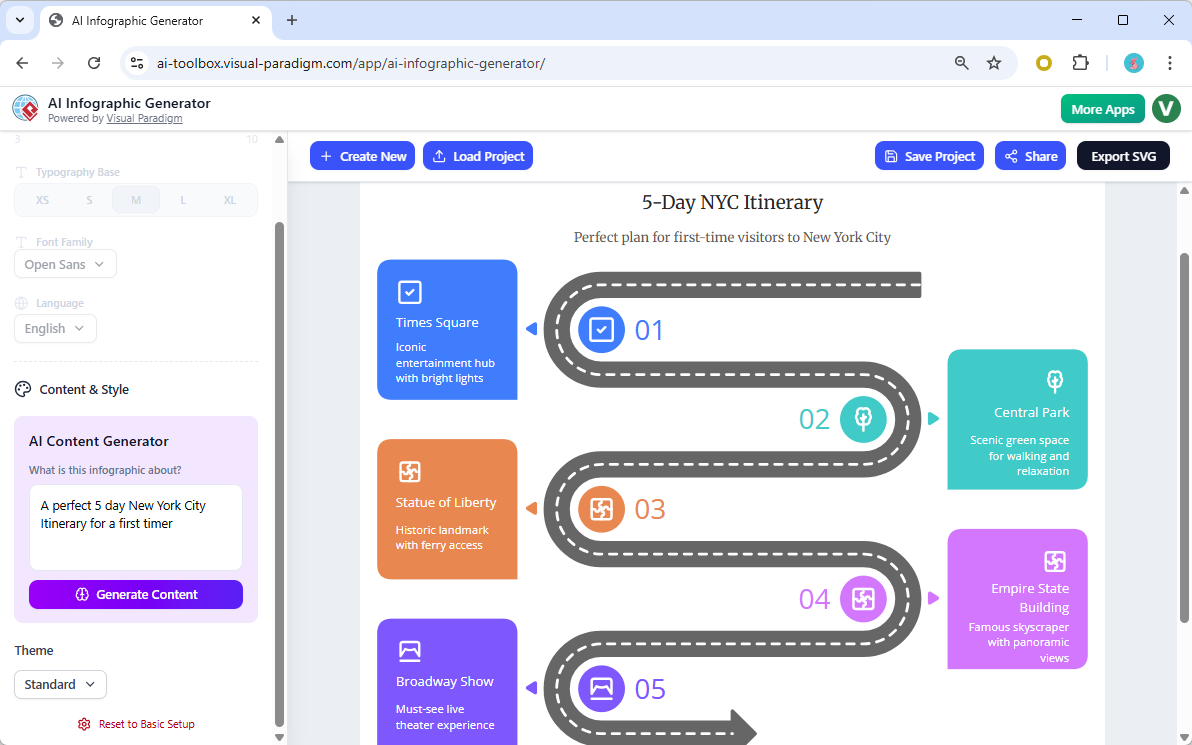
This updated interface makes the AI infographic generator more responsive and user-friendly than ever—ideal for professionals who need quick, high-quality visuals without a learning curve.
2. Introducing Hand-Drawn Style Support
Add warmth, personality, and approachability with the brand-new hand-drawn style option. Perfect for:
-
Educational materials and classroom resources
-
Informal presentations and workshop slides
-
Blog posts and social media content
-
Brand storytelling with a human touch
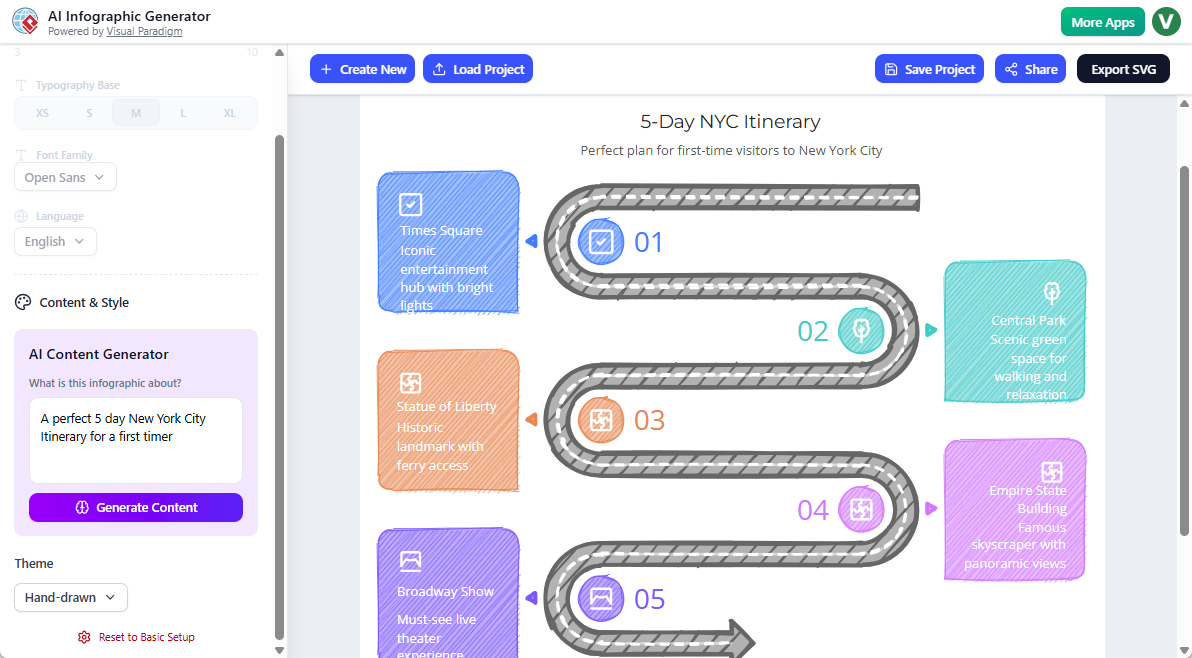
Combined with AI-powered content generation, this style lets you produce infographics that look handcrafted—without any drawing skills required. It’s a fantastic addition for users seeking variety beyond traditional polished designs.
Use Cases: Who Benefits Most?
🎯 Marketing & Social Media Teams
-
Create engaging campaign visuals, product comparisons, and statistic highlights
-
Rapidly produce platform-optimized graphics for LinkedIn, Instagram, or Twitter
-
Maintain brand consistency with customizable fonts, colors, and templates
💼 Business Professionals & Consultants
-
Transform reports, KPIs, and strategy decks into clear, executive-ready visuals
-
Visualize workflows, timelines, and process maps for client presentations
-
Export SVG files for seamless integration into PowerPoint, PDFs, or web content
🎓 Educators & Trainers
-
Develop lesson summaries, concept maps, and study guides with approachable hand-drawn styles
-
Simplify complex topics into digestible visual formats for students of all ages
-
Share infographics via unique links for easy classroom distribution
✍️ Content Creators & Bloggers
-
Enhance articles with data-driven visuals that boost engagement and SEO
-
Generate custom graphics for tutorials, how-to guides, and listicles
-
Save hours of design time while maintaining professional quality
🌐 Nonprofits & Community Organizations
-
Communicate impact metrics, donation breakdowns, and initiative timelines clearly
-
Create shareable advocacy materials with emotionally resonant hand-drawn aesthetics
-
Produce multilingual content to reach diverse audiences globally
Key Benefits at a Glance
✅ Speed & Efficiency: Go from idea to finished infographic in minutes, not hours
✅ No Design Skills Needed: AI handles layout, typography, and visual hierarchy
✅ Creative Flexibility: Choose from polished corporate styles or warm hand-drawn aesthetics
✅ Real-Time Customization: Adjust fonts, colors, and content with instant preview feedback
✅ Professional Output: Export high-resolution SVG or share via unique, trackable links
✅ Smart Content Generation: AI suggests titles, descriptions, data points, and chart types based on your prompt
✅ Template Library: Start with expertly designed layouts or build from scratch
✅ Cross-Platform Ready: Outputs work seamlessly in presentations, websites, print, and social media
Why Choose Visual Paradigm’s AI Infographic Generator?
Our AI-powered infographic maker remains the fastest way to create compelling visuals:
-
Start with professionally designed templates or customize freely
-
AI generates titles, descriptions, data points, charts, and layouts from simple text prompts
-
Real-time previews and instant adjustments
-
Export as high-quality SVG for any use case
-
One-click sharing via unique links
Whether you need statistical charts, step-by-step guides, timelines, comparisons, or process flows, this AI infographic tool handles it all — no design experience needed.
Getting Started: Your First Infographic in 3 Simple Steps
-
Visit the Tool: Go to the AI Infographic Generator landing page and sign in with your Visual Paradigm account.
-
Define Your Goal: Enter a topic or upload data. Example prompts: “5 benefits of remote work,” “Q3 sales performance by region,” or “How photosynthesis works.”
-
Customize & Create: Select a template, adjust settings in the side pane, preview changes in real time, then click Start Designing. Refine manually or let AI finalize the layout.
-
Export or Share: Download as SVG/PNG or generate a shareable link for instant distribution.
💡 Pro Tip: Use the hand-drawn style for educational or community-focused content to increase relatability and engagement.
Conclusion
Visual Paradigm’s enhanced AI Infographic Generator represents a significant leap forward in accessible, intelligent visual communication. By combining a streamlined three-step workflow, a unified interface, and creative new options like hand-drawn styling, the platform empowers users of all skill levels to produce professional-grade infographics faster and with greater creative freedom.
Whether you’re simplifying complex data for a boardroom presentation, crafting engaging social content, or developing educational resources, this AI-powered tool removes traditional barriers to visual storytelling. With real-time customization, smart content generation, and flexible export options, it’s not just a time-saver—it’s a catalyst for clearer communication and stronger audience connection.
The future of content creation is visual, intelligent, and inclusive. With Visual Paradigm’s latest updates, that future is available today.
Ready to transform your ideas into impactful visuals?
Try AI Infographic Generator Now
Visual Paradigm: Empowering professionals with intelligent diagramming, modeling, and visual communication tools since 2002.
References
-
AI Infographic Generator – Visual Paradigm: Official landing page featuring tool overview, feature highlights, use cases, and access instructions for Visual Paradigm’s AI-powered infographic creation platform.
-
Try AI Infographic Generator – Visual Paradigm Toolbox: Direct access link to launch the AI Infographic Generator application within the Visual Paradigm online toolbox for immediate creation and experimentation.