


1. The AI Chatbot — Designed for Iterative, Real-World Modeling
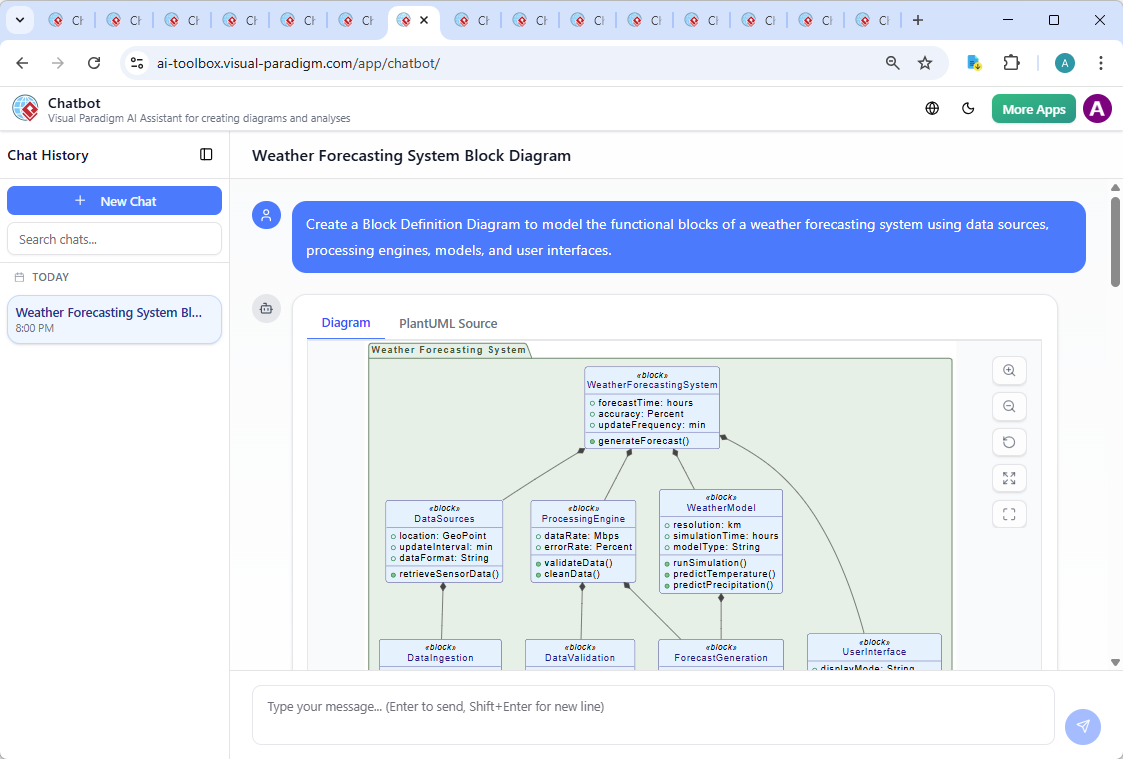
(Image attribution: AI Generated SysML Block Definition Diagram: Weather Forecasting System Example)
The Visual Paradigm AI Chatbot is not just a prompt → diagram factory. It is built for conversation:
- Start with high-level intent: “Create a C4 model for a serverless e-commerce checkout service using AWS”
- Generate the full suite (Context, Containers, Components, Code views)
- Refine naturally: “Move payment processing to a separate bounded context”, “Add observability with CloudWatch”, “Show dynamic interactions between order service and inventory”
- Ask analytical questions: “Where are the main failure points?”, “Suggest improvements for scalability”, “Generate a textual summary for stakeholders”
- Request documentation: “Produce a one-page architecture decision record from this model”
This iterative dialogue loop — generate → review → refine → analyze → document — mirrors how real teams work, making the tool feel like a knowledgeable modeling colleague rather than a magic black box.
2. Broad, Accurate, and Up-to-Date Standards Coverage
Visual Paradigm supports — with genuine depth — the notations most used in professional environments in 2026:
| Notation | Key Diagram Types Supported via AI Generation | Typical Professional Use |
|---|---|---|
| UML 2.5+ | Class, Sequence, Use Case, Activity, State Machine, Component, Deployment, Communication, Timing, Interaction Overview | Object-oriented design, API contracts, behavioral modeling |
| SysML 1.6 / 2 preview | Block Definition (BDD), Internal Block (IBD), Requirement, Parametric, Activity, State, Use Case | Systems engineering, embedded, aerospace, automotive, defense |
| ArchiMate 3.2 | Motivation, Strategy, Business, Application, Technology, Physical, Implementation & Migration viewpoints | Enterprise architecture, TOGAF, digital transformation roadmaps |
| C4 Model | System Context, Containers, Components, Code (all views generated in one flow) | Software architecture documentation, microservices, cloud-native systems |
| BPMN 2.0 | Process, Collaboration, Conversation diagrams + pools/lanes | Business process improvement, workflow automation, compliance |
| Others | ERD (Chen / Crow’s Foot), Mind Maps, DFD, Strategic canvases (Business Model, Lean, Value Proposition), Flowcharts | Database design, ideation, strategy alignment |
This breadth means one platform (and one AI interface) can serve most modeling needs in a team or organization — reducing tool sprawl.
3. Hybrid Cloud + Desktop Workflow That Actually Works
Many AI tools are cloud-only; many traditional modeling tools remain desktop-heavy. Visual Paradigm bridges both:
- Quick ideation and AI generation in any browser (no install)
- Seamless export to Visual Paradigm Desktop (Windows/macOS/Linux) for:
- Precise layout control and diagram beautification
- Model simulation (BPMN, SysML activity/sequence)
- Code engineering (generate Java/C#/C++/Python from class models, reverse from code)
- Advanced project management views (work breakdown, traceability matrix, layers, tags)
- Team collaboration (versioning, comments, diff/merge)
This continuity eliminates the common frustration of “great AI start, but I can’t finish professionally in the same tool”.
4. Additional AI Capabilities That Add Real Value
Beyond core diagramming, Visual Paradigm includes targeted AI helpers:
- DBModeler AI: Natural language requirements → normalized relational schema → visual ERD → live SQL preview & generation
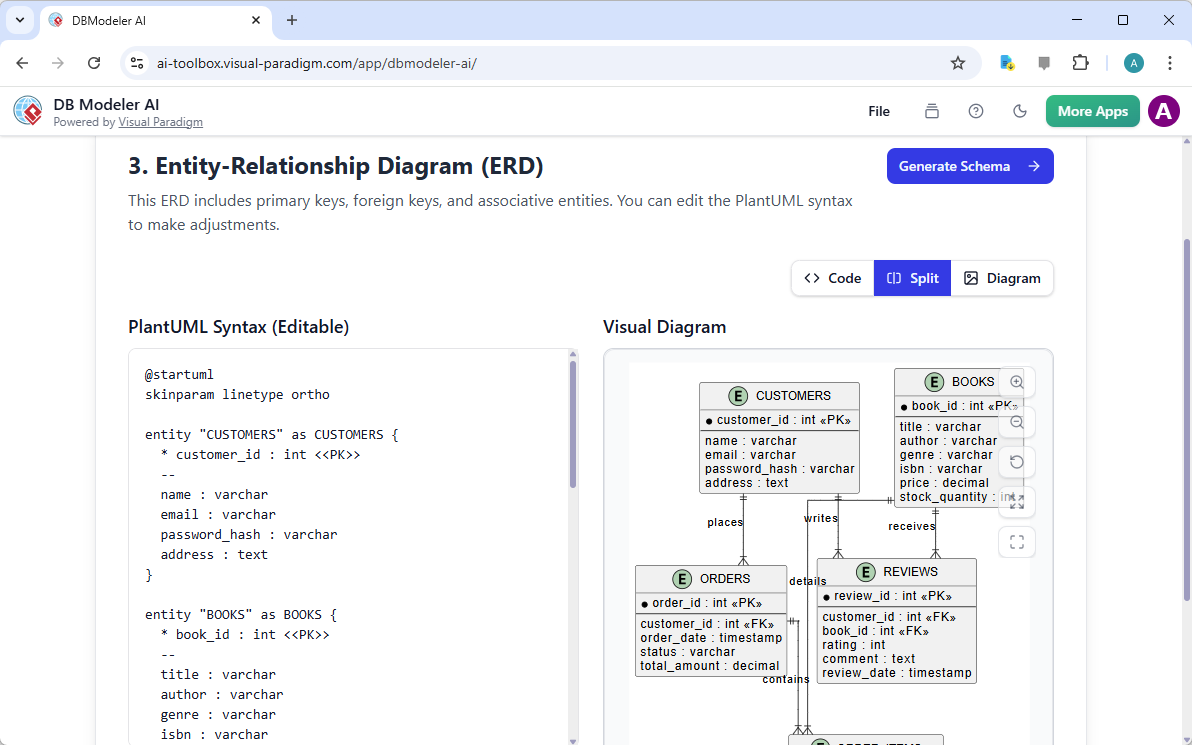
- Textual Analysis → Model: Paste requirements text → auto-extract entities, relationships → generate class/ER diagrams
- Backlog & User Story AI: Refine epics into stories, acceptance criteria, or link to use case diagrams
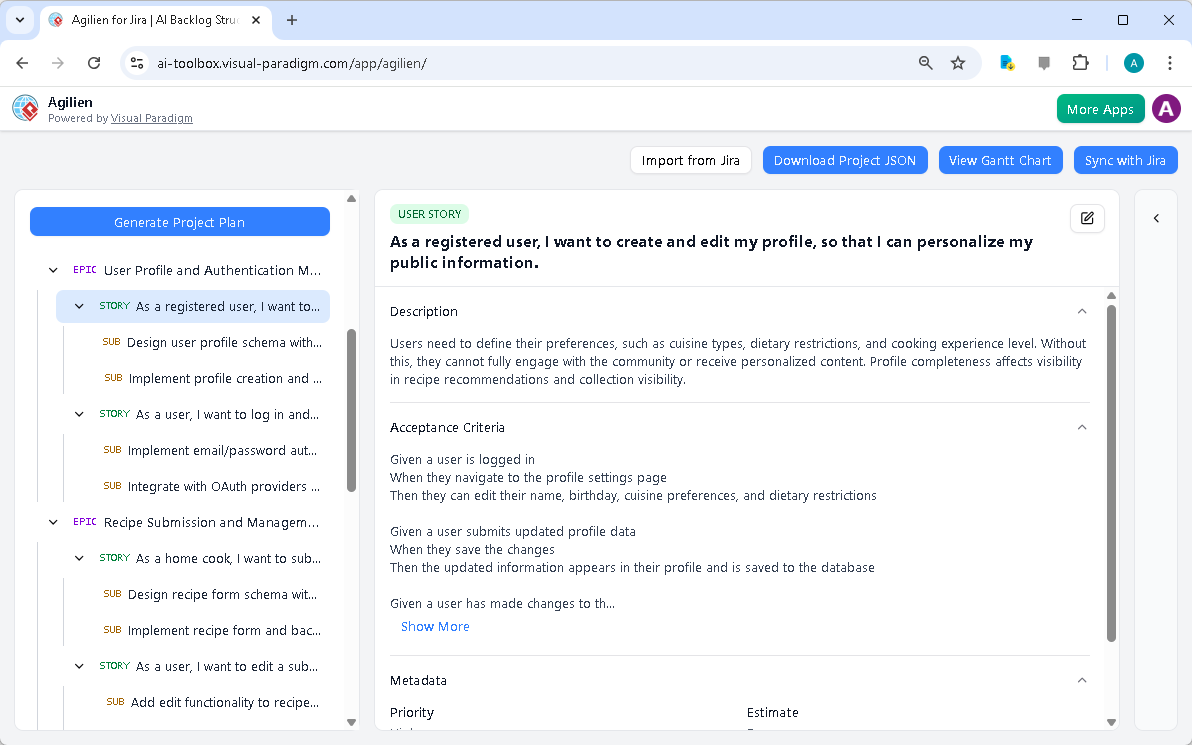
- Strategic Canvas Generators: SWOT, PESTLE, OKR, Lean Canvas from brief descriptions
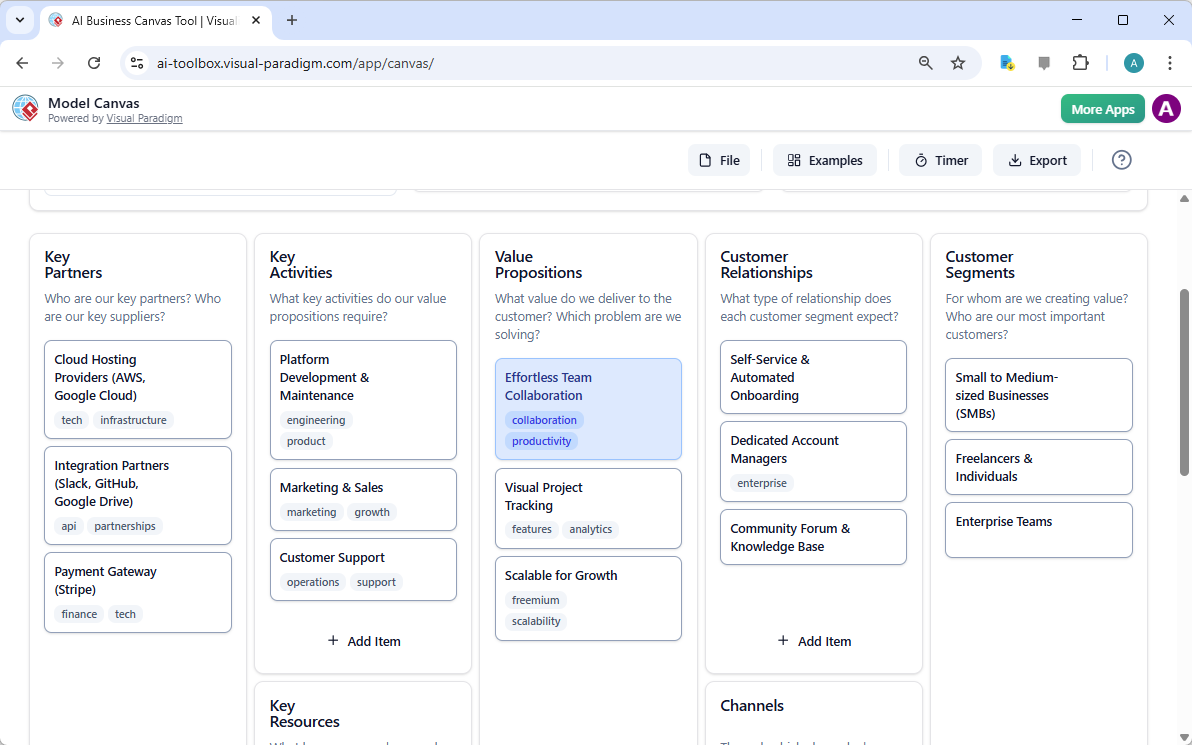
- Multi-language consistency: Generate and edit models in 10+ languages without notation errors
Who Is Choosing Visual Paradigm Right Now (Early 2026)?
From user forums, case mentions, and adoption patterns:
- Mid-to-large software/product companies building cloud-native or microservices systems (heavy C4 + UML + BPMN usage)
- Enterprise architecture teams in finance, insurance, government, manufacturing (ArchiMate + TOGAF workflows)
- Systems/embedded engineering groups in automotive, aerospace, telecom (SysML focus)
- Business process excellence / BPM teams optimizing operations
- Agile/Scrum teams that want fast models tied to backlogs and user stories
- Global organizations needing consistent modeling across language barriers
Final Thought for 2026
Visual Paradigm does not try to be the flashiest or simplest AI drawing app. Instead, it aims to be one of the most capable, reliable, and professionally usable AI-powered visual modeling platforms — the one you can start with for quick AI assistance and still trust for detailed, auditable, team-scale work.
If that balance matches what your team needs, it’s worth spending 10 minutes with the free online trial to see the AI Chatbot and diagram generator in action.
Visit: www.visual-paradigm.com
Related Links
- AI-Powered Visual Modeling and Design Solutions by Visual Paradigm: Explore cutting-edge AI-driven tools for visual modeling, diagramming, and software design, enabling faster, smarter development workflows.
- Visual Paradigm – All-in-One Visual Development Platform: A comprehensive platform for visual modeling, software design, business process modeling, and AI-powered development tools.
- AI Chatbot Feature – Intelligent Assistance for Visual Paradigm Users: Leverage AI-powered chatbot functionality to get instant guidance, automate tasks, and enhance productivity within Visual Paradigm.
- Visual Paradigm Chat – AI-Powered Interactive Design Assistant: An interactive AI chat interface that helps users generate diagrams, write code, and solve design challenges in real time.
- AI Textual Analysis – Transform Text into Visual Models Automatically: Use AI to analyze text documents and automatically generate diagrams such as UML, BPMN, and ERD for faster modeling and documentation.
- Visual Paradigm AI Chatbot Enhances Multi-Language Support …: Discover the latest updates to Visual Paradigm ‘s AI -Powered visual modeling software, including multi-language UI and improved chat content localization. Experience seamless AI diagram generation in languages like Spanish, French, Chinese, and more with our AI chatbot for UML and other diagrams.
- AI -Powered BI Analytics by Visual Paradigm – ArchiMetric: Get started in under a minute at ai . visual – paradigm .com/tool/ ai -powered-bi-analytics. No installation, no signup required for most features.
- Discover the Power of Visual Paradigm ’s AI -Powered… – Visualize AI: While tools like Google’s AI Image Translator (via Google Lens and Google Translate) offer convenience, Visual Paradigm ’s AI -Powered Image Translator takes the lead with…
- AI Chatbot for Diagramming: How It Works with Visual Paradigm: The Visual Paradigm AI chatbot is an AI -powered modeling assistant that turns natural language into diagrams. It doesn’t require users to learn specific modeling standards or syntax.
- AI Brainstorming Features – Visual Paradigm: Discover how Visual Paradigm’s AI-powered brainstorming tools enhance idea generation with intelligent suggestions and collaborative workflows.