
Visual Paradigm & VPasCode: AI-Driven Flowchart Engineering
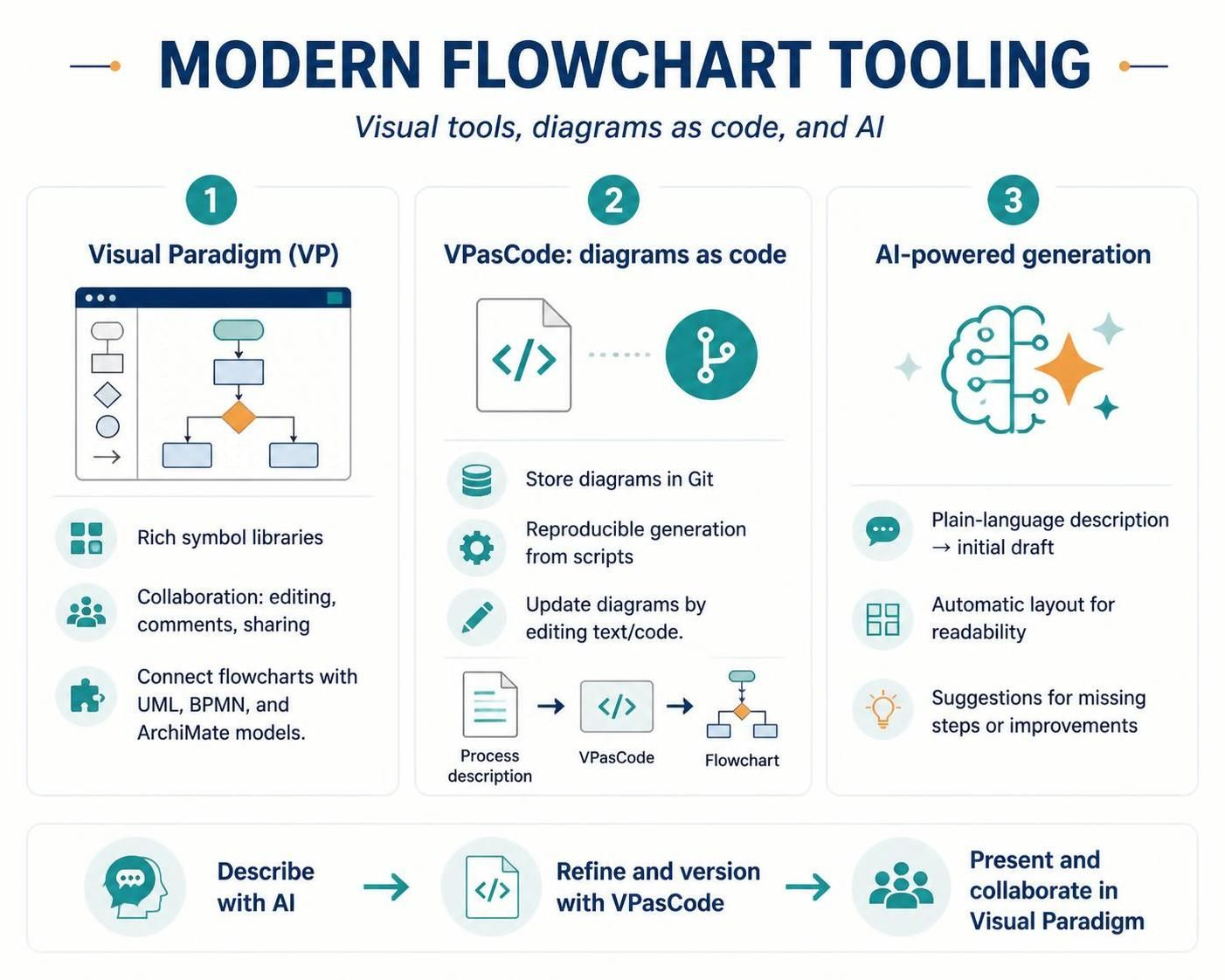
In the rapidly evolving landscape of software engineering and systems architecture, the gap between design and implementation is closing. Modern tooling has shifted from static, manual diagramming to dynamic, automated, and intelligent workflows. This tutorial explores a powerful triad of technologies: Visual Paradigm for professional modeling, VPasCode for “Diagrams as Code,” and Generative AI for rapid prototyping.
1. The Foundation: Visual Paradigm (VP)
Visual Paradigm serves as the robust core of this ecosystem. While traditional drag-and-drop tools are useful for quick sketches, VP is designed for comprehensive system design. It is not limited to simple flowcharts; it is a full-spectrum modeling environment supporting UML, BPMN, and ArchiMate.
Key Capabilities for Engineering Teams
- Rich Symbol Libraries: Access to industry-standard shapes ensures that your diagrams adhere to international modeling standards.
- Collaboration Features: Modern teams require real-time editing, commenting, and sharing capabilities to ensure alignment across departments.
- Seamless Integration: VP connects flowcharts with other complex models (like UML or BPMN), allowing for a cohesive view of the entire system architecture.
2. The Developer’s Edge: VPasCode (Diagrams as Code)
For developers and technical project managers, the manual manipulation of shapes can be inefficient. VPasCode introduces a paradigm shift by allowing users to generate flowcharts using code. This approach treats diagrams as software artifacts.
Why “Diagrams as Code” Matters
- Version Control: By storing diagrams in Git alongside your codebase, you can track changes, branch, and merge diagrams just like source code. This is crucial for maintaining historical accuracy.
- Reproducibility: Scripts allow you to generate consistent diagrams automatically. If a process changes, you don’t need to manually redraw; you simply update the script.
- Efficiency: It is significantly faster to update a diagram by modifying a text variable than by dragging and dropping shapes to resize them.
The workflow typically involves defining a process in a simple text format, which VPasCode then renders into a professional flowchart.
3. The Accelerator: AI-Powered Generation
Generative AI is transforming the initial phase of diagram creation. Instead of starting with a blank canvas, engineers can now leverage AI to build the “first draft.”
AI Capabilities in Modeling
- Natural Language to Flowchart: You can describe a process in plain English (e.g., “Create a flowchart for a user login process with password reset”), and the AI generates the initial draft structure.
- Auto-Layout: AI intelligently arranges shapes to minimize crossing lines and improve readability, saving hours of manual formatting.
- Smart Suggestions: Advanced AI can identify missing steps or suggest optimizations based on industry best practices.
The Integrated Workflow
The true power of this stack lies in the seamless integration of these three components. The modern workflow follows a logical progression from idea to presentation:
- Describe with AI: Start with a natural language prompt to generate a high-level process draft.
- Refine and Version with VPasCode: Convert the AI draft into code. This allows for precise control, logic refinement, and immediate integration into your version control system.
- Present and Collaborate in Visual Paradigm: Finalize the diagram in the full VP environment for stakeholder presentations, ensuring rich styling and collaboration features are utilized.
By combining the speed of AI, the precision of VPasCode, and the robustness of Visual Paradigm, engineering teams can achieve unprecedented efficiency in system design.