
Navigating the Visual Paradigm AI Ecosystem: VPasCode, Desktop, and Unified Platform Architecture
The landscape of model-driven development is rapidly evolving, driven by the integration of artificial intelligence and cloud-based collaboration. In the context of the Visual Paradigm ecosystem, understanding the architectural distinction between cloud-native tools and local desktop applications is critical for successful system design. This tutorial explores the recent developments in the Visual Paradigm platform, focusing on the separation of VPasCode updates from the Desktop environment, and the strategic requirements for team rollouts.
Understanding the Dual Architecture: VPasCode vs. Desktop
Visual Paradigm operates on a dual-architecture model that often confuses new users: the cloud-centric VPasCode environment and the traditional Desktop application. While both offer diagramming and modeling capabilities, they serve different workflow needs and possess distinct feature sets.
The VPasCode Ecosystem: Cloud-First & Code-Based
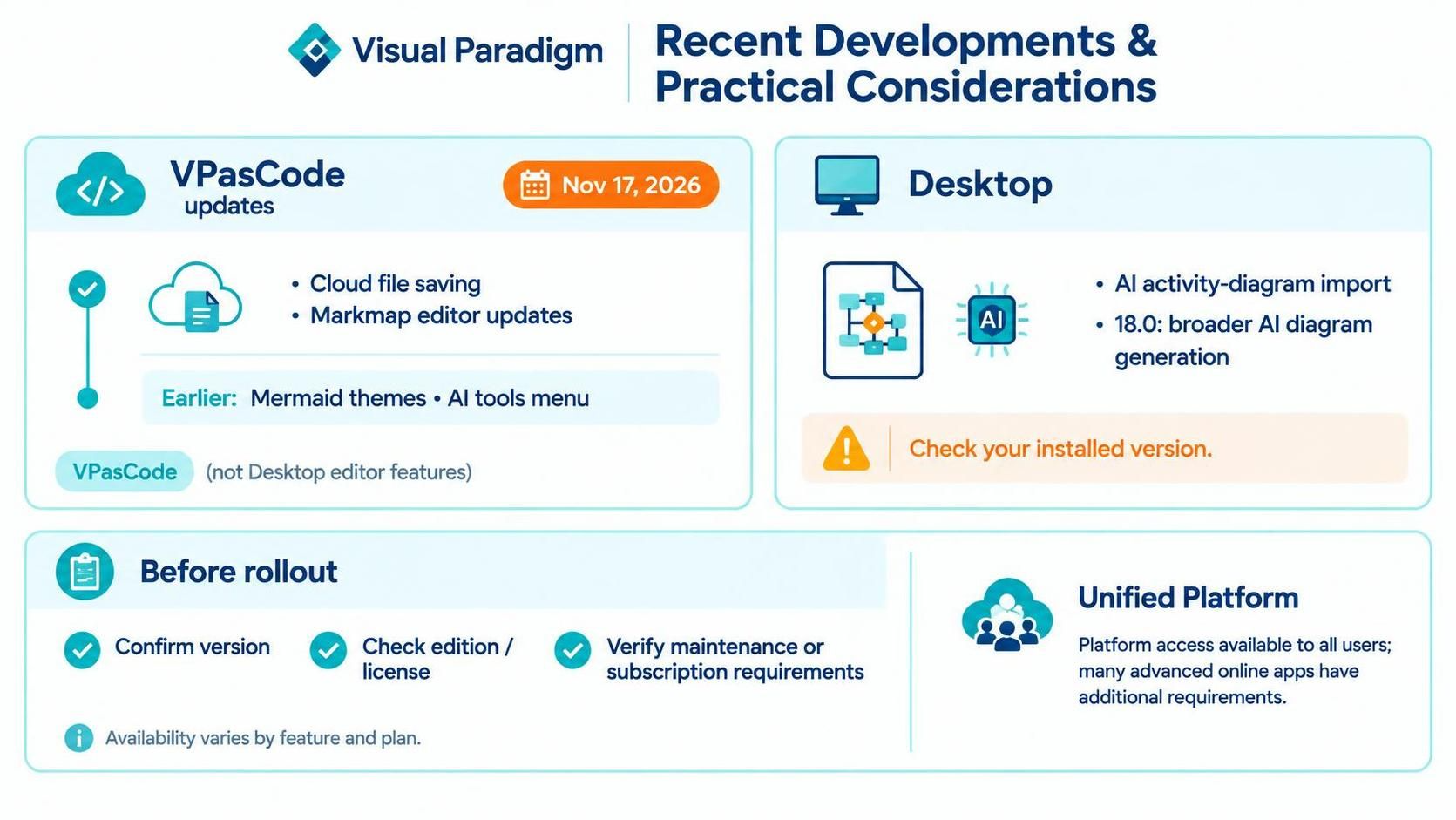
VPasCode represents the modernization of diagramming as code. It is designed for developers and architects who prefer text-based definitions over drag-and-drop interfaces. The platform has recently undergone significant updates, specifically announced on November 17, 2026.
- Cloud File Saving: A pivotal update for VPasCode is the introduction of cloud file saving. This ensures that diagram definitions are synchronized in real-time, reducing the risk of data loss and facilitating version control.
- Markmap Editor: The editor has received updates to improve the visualization of hierarchical data, allowing users to render mind maps and outlines more effectively.
- Mermaid Integration: Earlier updates included specific themes for Mermaid diagrams, enhancing the aesthetic customization available to users working with standard markdown-based syntax.
It is vital to remember that these features—such as the AI tools menu and specific editor updates—are native to the VPasCode cloud environment and are distinct from the features found in the local Desktop editor.
The Desktop Environment: Local Power & AI Integration
The Desktop application remains the robust, offline-capable powerhouse of the ecosystem. While it does not share the exact cloud-native features of VPasCode, it has seen a surge in AI-driven capabilities.
Notably, the Desktop application now supports:
- AI-Generated Activity Diagram Import: Users can now leverage AI to generate complex activity diagrams directly from text prompts or existing models, streamlining the creation of process flows.
- Broader AI Diagram Generation: The release of version 18.0 marked a significant expansion in AI support, allowing for the automatic generation of various diagram types within the local interface.
However, users must be vigilant. The Desktop application requires a specific version to access these AI features. Unlike the continuous updates seen in the cloud, Desktop features are tied to specific version releases.
Strategic Planning for Team Rollouts
For organizations planning to deploy these tools across a team, a “one-size-fits-all” approach is insufficient. The Unified Platform architecture dictates that access and capabilities are tiered based on licensing.
Version and License Verification
Before initiating a rollout, IT administrators and team leads must perform a rigorous audit of the current infrastructure:
- Confirm Installed Version: Ensure all workstations are running a version of the Desktop application that supports the latest AI integrations (e.g., version 18.0 or higher).
- Check Edition Requirements: The Unified Platform page indicates that while basic access is available to all, advanced online applications often require the Professional Edition or higher.
- Verify Maintenance or Subscription Status: Advanced capabilities and AI tools are frequently gated behind active maintenance contracts or specific subscription tiers. Without an active subscription, users may lose access to cloud synchronization and AI features.
The Unified Platform Implications
The concept of the Unified Platform serves as the bridge between these environments. It allows for a cohesive experience where data can move between the cloud and desktop. However, the “many advanced online apps” available on this platform are not universally accessible. They are contingent upon the user’s license level. A team member with a standard license may be able to view a diagram but lack the permissions to edit or utilize the AI generation tools found in the Professional tier.
Conclusion
The integration of AI and cloud capabilities into the Visual Paradigm ecosystem offers powerful new ways to manage system architecture and modeling. By clearly distinguishing between the cloud-native VPasCode updates and the locally powered Desktop enhancements, teams can avoid deployment pitfalls. Successful adoption requires verifying the specific version, edition, and maintenance status of every user’s license to ensure full access to the advanced tools available in the Unified Platform.