
Mastering VPasCode: 6 Best Practices for High-Quality Visual Modeling
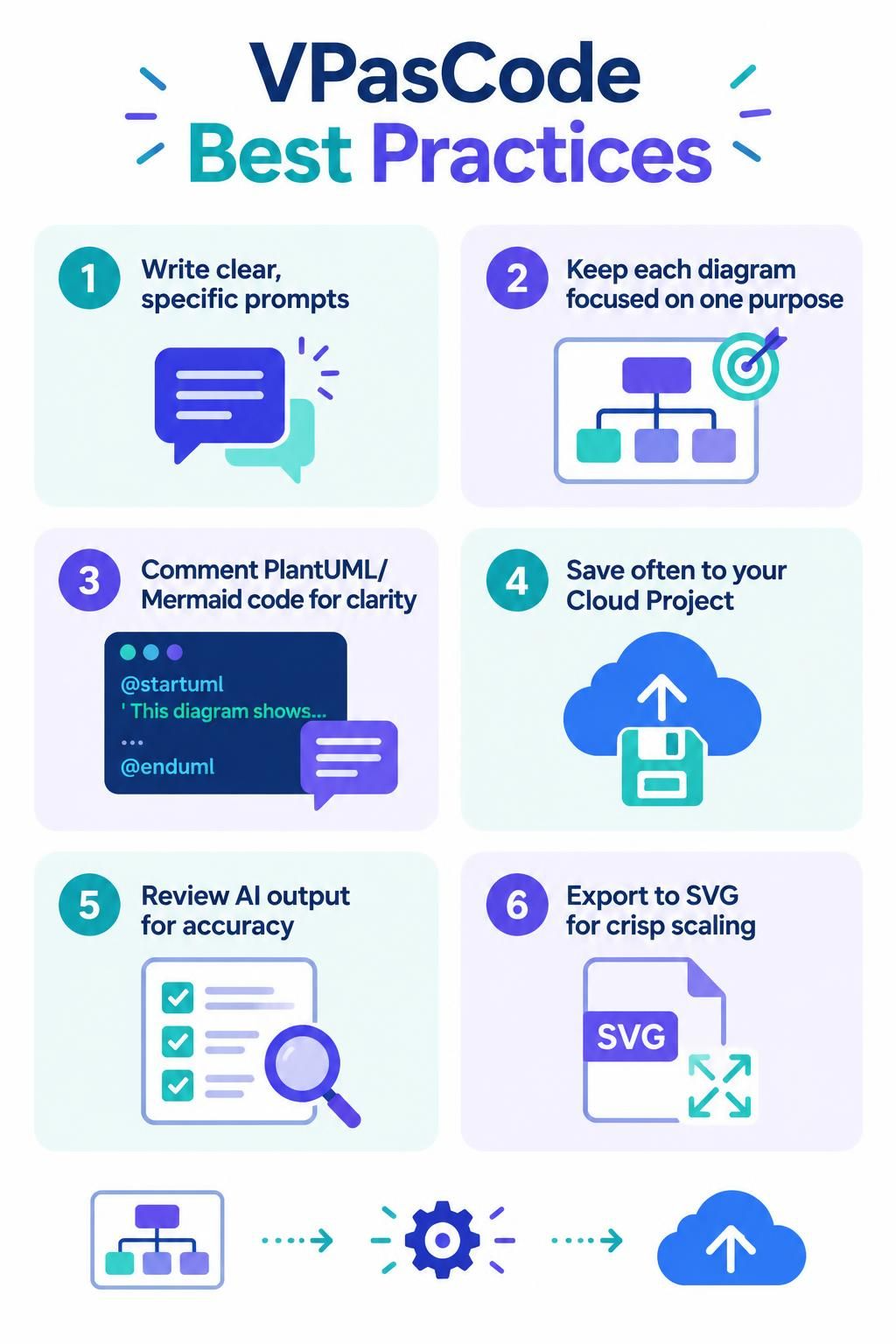
Visual Paradigm’s VPasCode represents a paradigm shift in how modern teams approach documentation. By merging the rapid creativity of Artificial Intelligence with the structural precision of diagram-as-code, it bridges the gap between abstract ideas and professional technical diagrams. However, to truly leverage this powerful tool, users must adopt a disciplined workflow.
This tutorial explores the core principles outlined in the VPasCode Best Practices guide. We will walk through the essential steps to ensure your diagrams are accurate, scalable, and easy to maintain.
1. The Art of Prompting: Clarity is Key
The foundation of a successful AI-generated diagram lies in the input. VPasCode relies on natural language to interpret your intent, but AI is only as good as the instructions it receives.
- Be Specific: Avoid vague requests like “draw a system.” Instead, specify the actors, the data flow, and the specific boundaries of your system.
- Define Context: Provide the necessary context regarding the technology stack or business logic to ensure the generated diagram reflects your unique environment.
Writing clear, specific prompts acts as the blueprint for the AI, significantly reducing the need for post-generation corrections.
2. Strategic Diagram Focusing
A common pitfall in visual modeling is “diagram clutter.” Attempting to capture an entire enterprise’s architecture in a single view often leads to confusion and unreadability.
VPasCode encourages you to keep each diagram focused on a single purpose. Whether you are modeling a specific database schema, a user login flow, or a high-level system architecture, maintaining a singular focus ensures that the diagram remains a clear communication tool rather than a confusing mess of nodes and edges.
The Principle of Abstraction
By isolating specific concerns, you allow stakeholders to digest complex information in bite-sized chunks. This approach aligns with standard cognitive load theory, ensuring your audience can understand the diagram without being overwhelmed.
3. The Power of Comments in Code
Even when using AI to generate code, the resulting text—whether in PlantUML, Mermaid, or Graphviz syntax—must be human-readable. Comments are not just for aesthetics; they are critical for future maintainability.
When you see code blocks in VPasCode, you should utilize the comment syntax to annotate sections. This practice helps other team members understand the intent behind specific nodes or relationships without having to guess.
@startuml
' This comment explains the scope of the diagram
' It helps new team members understand the context
title User Registration Process

actor User
entity Database

User --> Register : Input Data
Register --> Database : Save Record
@enduml
As shown above, adding comments before the diagram definition or between logical blocks provides a narrative layer that complements the visual structure.
4. Cloud Integration and Safety
Development workflows are prone to interruptions, from accidental tab closures to unexpected system reboots. Visual Paradigm’s cloud integration addresses these risks by allowing you to save frequently to your Cloud Project.
This feature is not just a backup mechanism; it facilitates real-time collaboration. By saving often, you ensure that your team is always working on the latest iteration of the model, preventing version conflicts and data loss.
5. The Human-in-the-Loop: Reviewing AI Output
While AI generation is incredibly fast, it is not infallible. The “AI Output as Draft” principle is central to the VPasCode methodology. You must always review the generated diagram for accuracy against your requirements.
- Verify Logic: Ensure the flow of data or control matches your system’s actual behavior.
- Check Semantics: Confirm that the correct UML or BPMN symbols are used for the specific elements depicted.
- Refine Structure: AI might place nodes randomly; you often need to reorganize them for clarity.
Treat the AI as a junior developer who needs supervision. The final product should reflect your expertise and domain knowledge.
6. High-Quality Exporting with SVG
The final step in your workflow is often documentation and presentation. Standard raster formats (like PNG or JPG) can become pixelated when scaled up for high-resolution displays or printed reports.
VPasCode recommends exporting your diagrams to SVG (Scalable Vector Graphics). SVG files are resolution-independent, meaning they will look crisp and sharp at any size—from a mobile phone screen to a large conference room projector. This ensures that your diagrams remain professional and readable in all contexts.
Conclusion
Visual Paradigm VPasCode represents a significant leap forward in visual modeling. By combining the speed of AI generation, the precision of diagram-as-code, and the convenience of cloud-based file management, it empowers teams to create, maintain, and share high-quality diagrams effortlessly.
Whether you are a developer documenting architecture, a business analyst mapping processes, or a product manager visualizing user journeys, VPasCode provides the tools to keep your documentation alive and aligned with your evolving projects. Start diagramming at the speed of thought today.