


Tired of AI tools that generate beautiful but static, uneditable diagrams?
Say goodbye to one-off visuals that die after a single use.
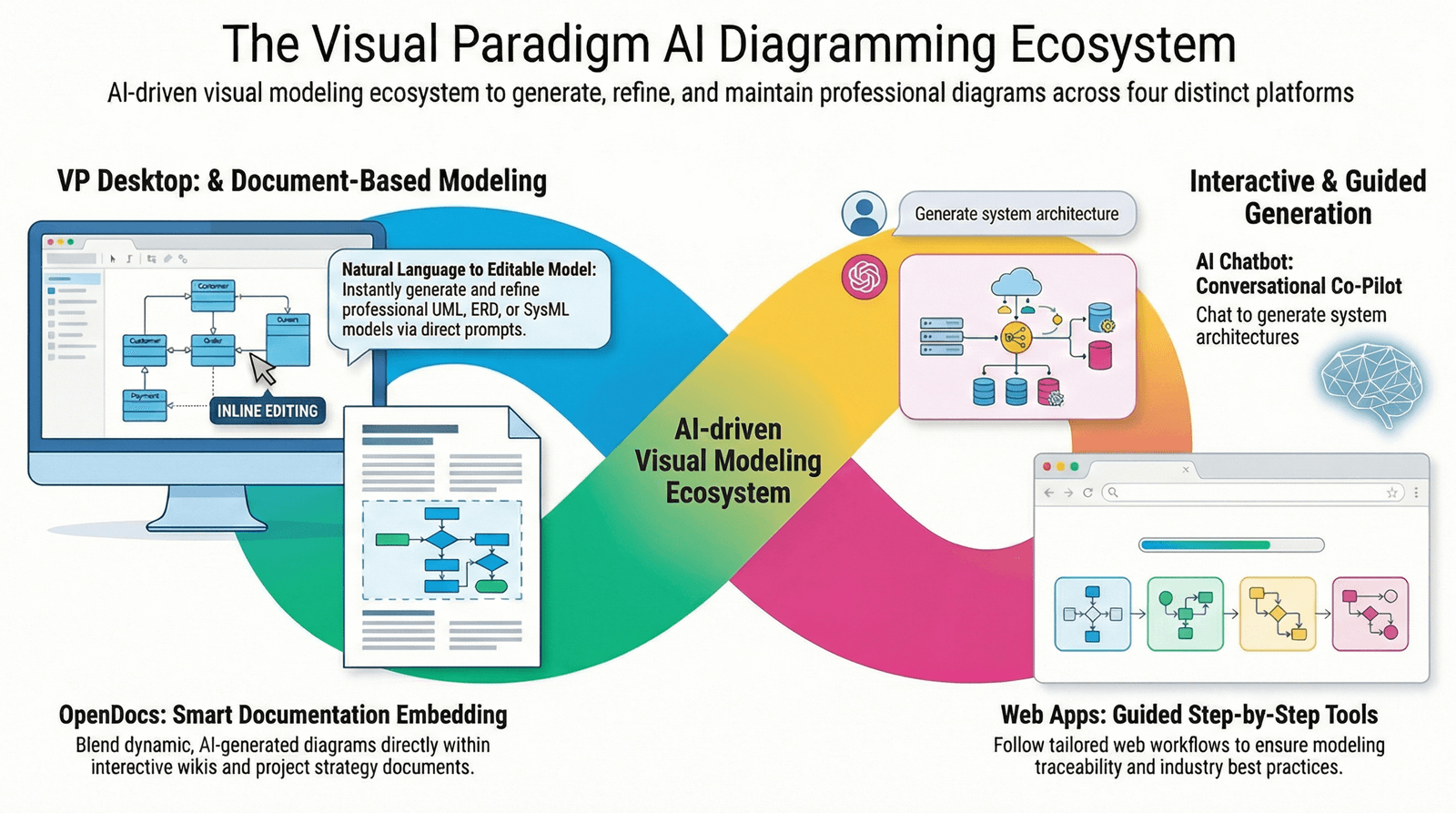
Introducing Visual Paradigm AI — the all-in-one AI ecosystem that doesn’t just draw diagrams.
It builds intelligent, editable, traceable, and production-ready models — from concept to code.
Whether you’re a product manager, software architect, business strategist, or engineering team, Visual Paradigm AI empowers you to think faster, design smarter, and deliver stronger — all in one seamless ecosystem.
💡 Meet the 4 Pillars of the Future: Your AI-Powered Visual Workflow
🖥️ 1. VP Desktop (The AI-Powered Modeling Engine)
For Architects & Engineers Who Demand Precision
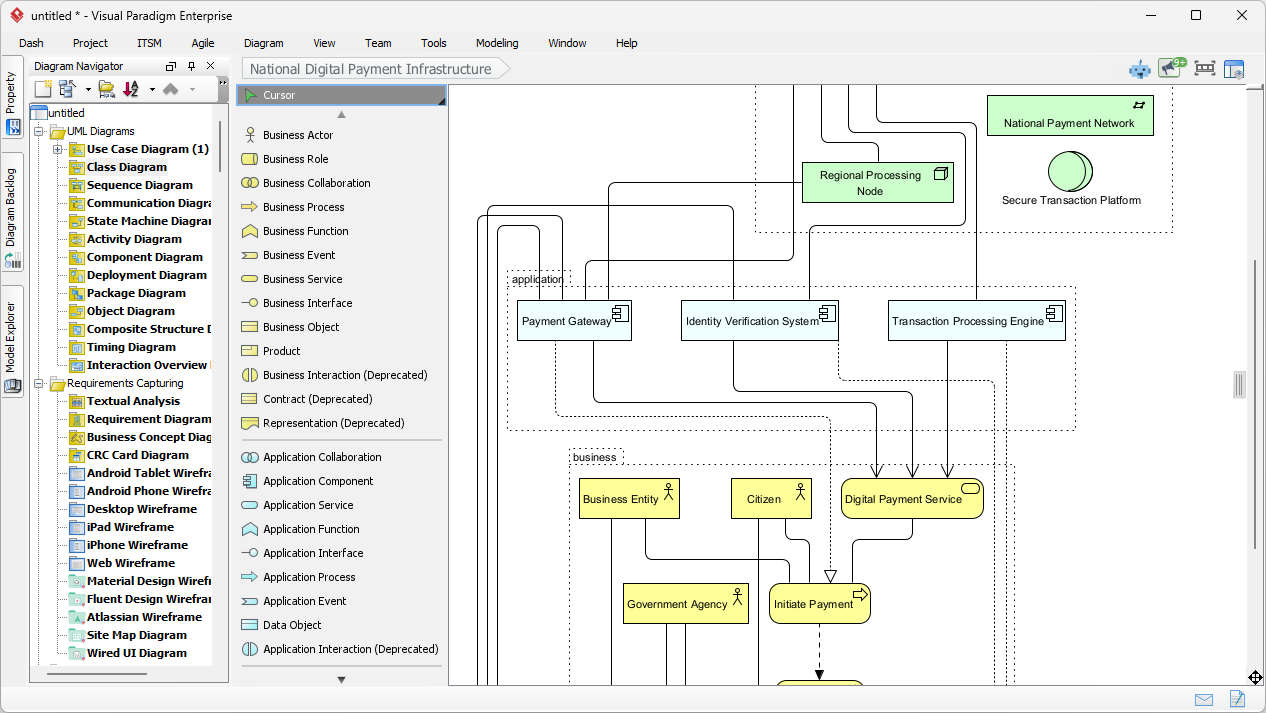
✅ Generate models. Generate code. Ship faster.
- AI-powered UML, SysML, ArchiMate, and C4 modeling — fully editable and traceable.
- Generate Java, C++, Python, and SQL code directly from diagrams.
- Full version control, team collaboration, and integration with CI/CD pipelines.
🔥 Perfect for: Enterprise software development, system architecture, and teams building complex, scalable applications.
📌 “I went from idea to working code in minutes — thanks to AI that understands my design.” – Lead Architect, Fortune 500 Tech Firm
💬 2. AI Visual Modeling Chatbot (Your 24/7 Co-Pilot)
Brainstorm in Plain English, Design in Seconds
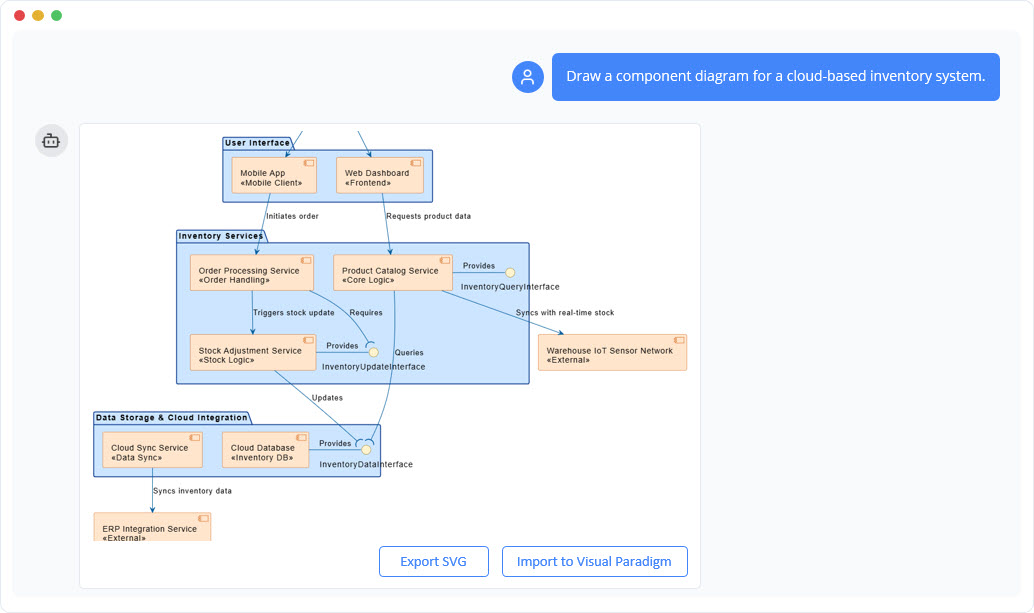
🤖 “Create a sequence diagram for user login with two-factor authentication.”
Boom. Done.
- Natural language input — describe your system, and the AI builds the diagram.
- Ask follow-ups: “Add a timeout if no action in 3 minutes.” → Instant update.
- No setup. No learning curve. Just design on the fly.
🎯 Perfect for: Product discovery, sprint planning, stakeholder alignment, and overcoming “blank canvas” syndrome.
💬 “The AI doesn’t just draw — it understands my requirements.” – Product Owner, SaaS Startup
📚 3. OpenDocs (AI-Powered Living Documentation)
Where Your Docs Are Never Static
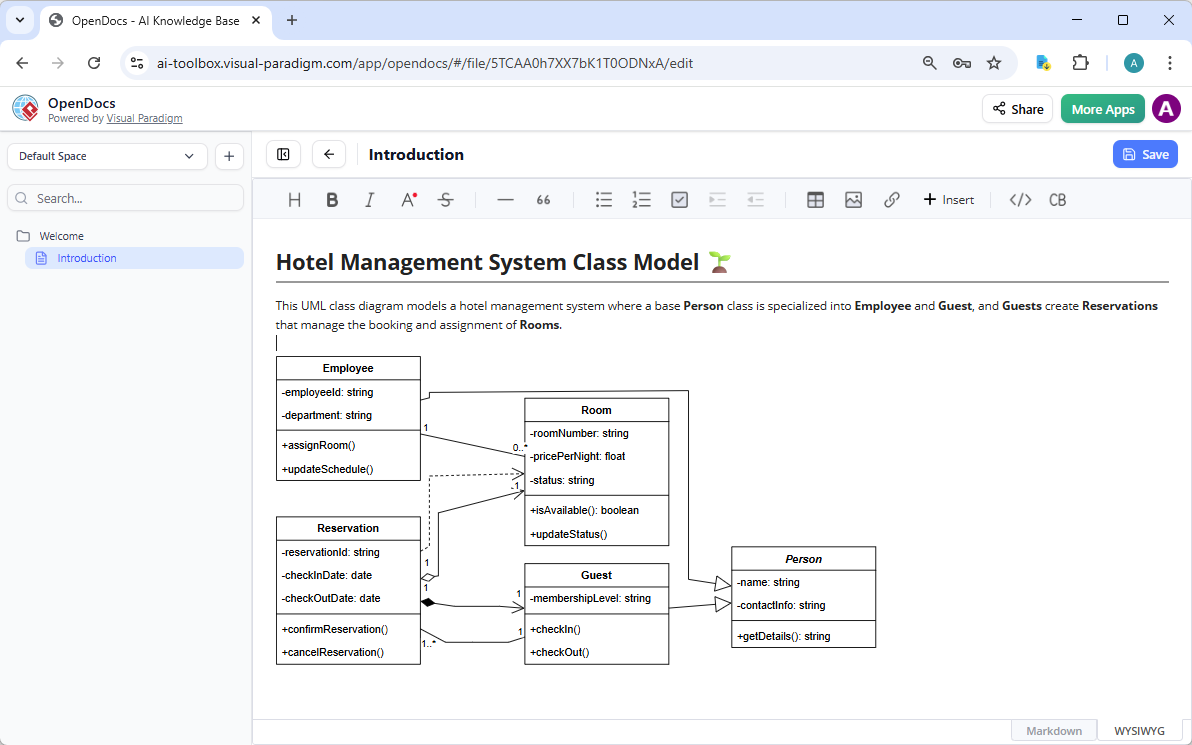
📌 No more screenshots. No more outdated diagrams.
OpenDocs is Notion meets AI modeling — where every diagram is a live, editable element embedded in your text.
- Create a strategy doc? Add a real-time SWOT analysis.
- Build an onboarding guide? Embed a dynamic process flow that your team can edit.
- Collaborate in real time — no export, no rework.
🚀 Perfect for: Internal wikis, team knowledge bases, executive strategy docs, and agile documentation.
🌟 “Our onboarding now evolves with us — not just a guide, but a living system.” – Engineering Team Lead, Scale-Up
🛠️ 4. Web App Studios (AI-Powered AI Studios)
Guided Modeling, Zero Mistakes
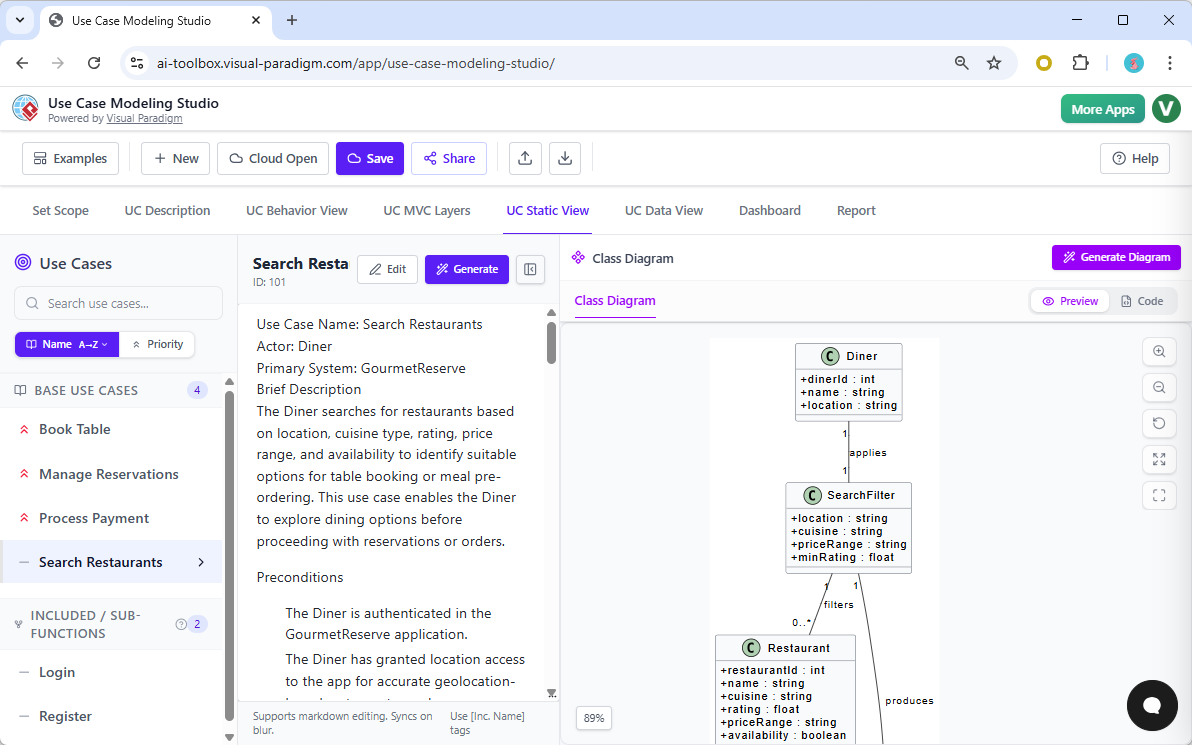
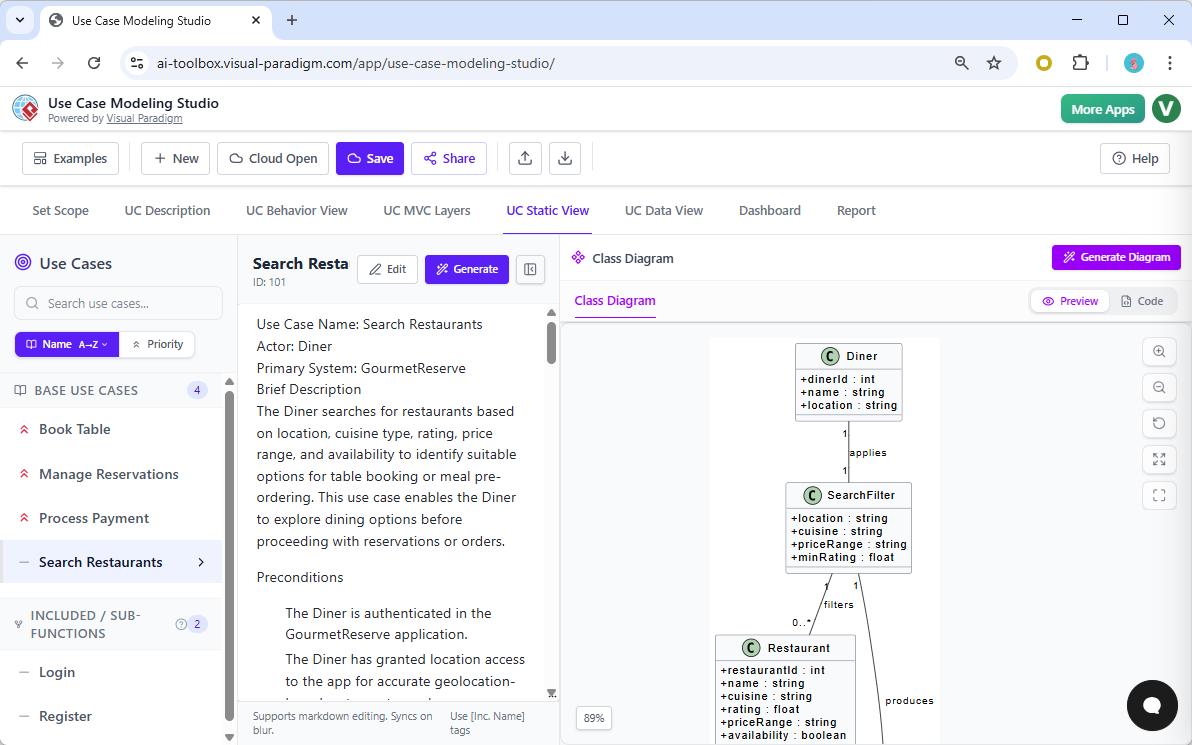
🔧 Built for methodology-driven teams. No guesswork. Just best practices.
Choose your studio:
- C4 PlantUML Studio – Build professional architecture reports with context, containers, components, and code.
- Use Case Modeling Studio – Step-by-step AI guidance to create robust, error-free use case diagrams.
- SWOT & PEST Analysis Studio – Turn strategy into stunning, shareable infographics.
✅ Enforces industry standards
✅ Ensures traceability across levels
✅ Delivers polished, publication-ready outputs
🎯 Perfect for: Enterprise architecture, compliance teams, and organizations following C4, ArchiMate, or agile frameworks.
🏛️ “We used to spend days on architecture docs. Now it takes hours — and it’s always accurate.” – CTO, Financial Services Platform
📊 Why Visual Paradigm AI Beats the Rest
| Feature | Most AI Tools | Visual Paradigm AI |
|---|---|---|
| AI-Generated Diagrams | ❌ Static, uneditable | ✅ Editable, traceable, live |
| Code Generation | ❌ Not supported | ✅ Direct code export (Java, C++, Python) |
| Collaboration | ❌ Limited | ✅ Real-time in OpenDocs, team server in Desktop |
| Methodology Support | ❌ Generic | ✅ C4, ArchiMate, Use Case, SWOT, PEST — AI-guided |
| Workflow Flexibility | ❌ One-size-fits-none | ✅ Start in Chatbot → Refine in OpenDocs → Ship in Desktop |
✨ The difference?
Most tools draw.
Visual Paradigm AI engineers.
🎯 Which Tool Should YOU Use?
| Your Goal | Best Tool |
|---|---|
| Brainstorming, rapid prototyping, stakeholder talks | ✅ AI Chatbot |
| Building internal wikis, onboarding guides, strategy docs | ✅ OpenDocs |
| Creating formal architecture reports, C4 models, or use case diagrams | ✅ Web App Studios |
| Engineering full-scale systems, code generation, version control | ✅ VP Desktop |
💡 Pro Tip: Start in the Chatbot, refine in OpenDocs, and finalize in VP Desktop — all with full traceability.
🏆 The Verdict: The Only AI Modeling Platform That Actually Delivers
Visual Paradigm AI isn’t just another diagram tool.
It’s the first AI ecosystem that turns ideas into intelligent, interconnected, and production-ready models.
✅ AI that understands your intent
✅ Diagrams that evolve, not just exist
✅ Models that generate code, trace changes, and scale with your team
🔥 Ready to Supercharge Your Workflow?
👉 Try Visual Paradigm AI free today — and experience the power of AI that doesn’t stop at visuals.
👉 Start Your Free Trial Now
No credit card. No strings. Just intelligent design, from idea to execution.
🌐 Join 100,000+ Teams Building Smarter, Faster, and Better
From startups to Fortune 500 enterprises, teams across industries are using Visual Paradigm AI to:
- Cut design time by 70%
- Reduce miscommunication in documentation
- Ship code faster with AI-generated models
- Build scalable, maintainable systems — from day one
🚀 Stop drawing. Start engineering.
Visual Paradigm AI — Where AI Meets Enterprise-Grade Design.
👉 Get Started for Free Today
The future of visual modeling is here. Are you ready to build it?