
Introduction
In modern enterprise environments, engineering, architecture, and business teams often operate in isolated silos. Engineers maintain complex desktop-based modeling projects, while business stakeholders rely on cloud-based documentation and collaborative tools. This fragmentation leads to version control issues, miscommunication, and a lack of a single source of truth.
The Visual Paradigm Unified Platform addresses this challenge by acting as a centralized digital hub. It bridges the gap between deep, professional desktop modeling (Visual Paradigm Desktop) and a suite of over 100 online productivity, design, and documentation apps (VP Online). By creating a drive-like space accessible via browser or desktop menu, it ensures that local projects and cloud assets coexist seamlessly, fostering collaboration across disciplines.
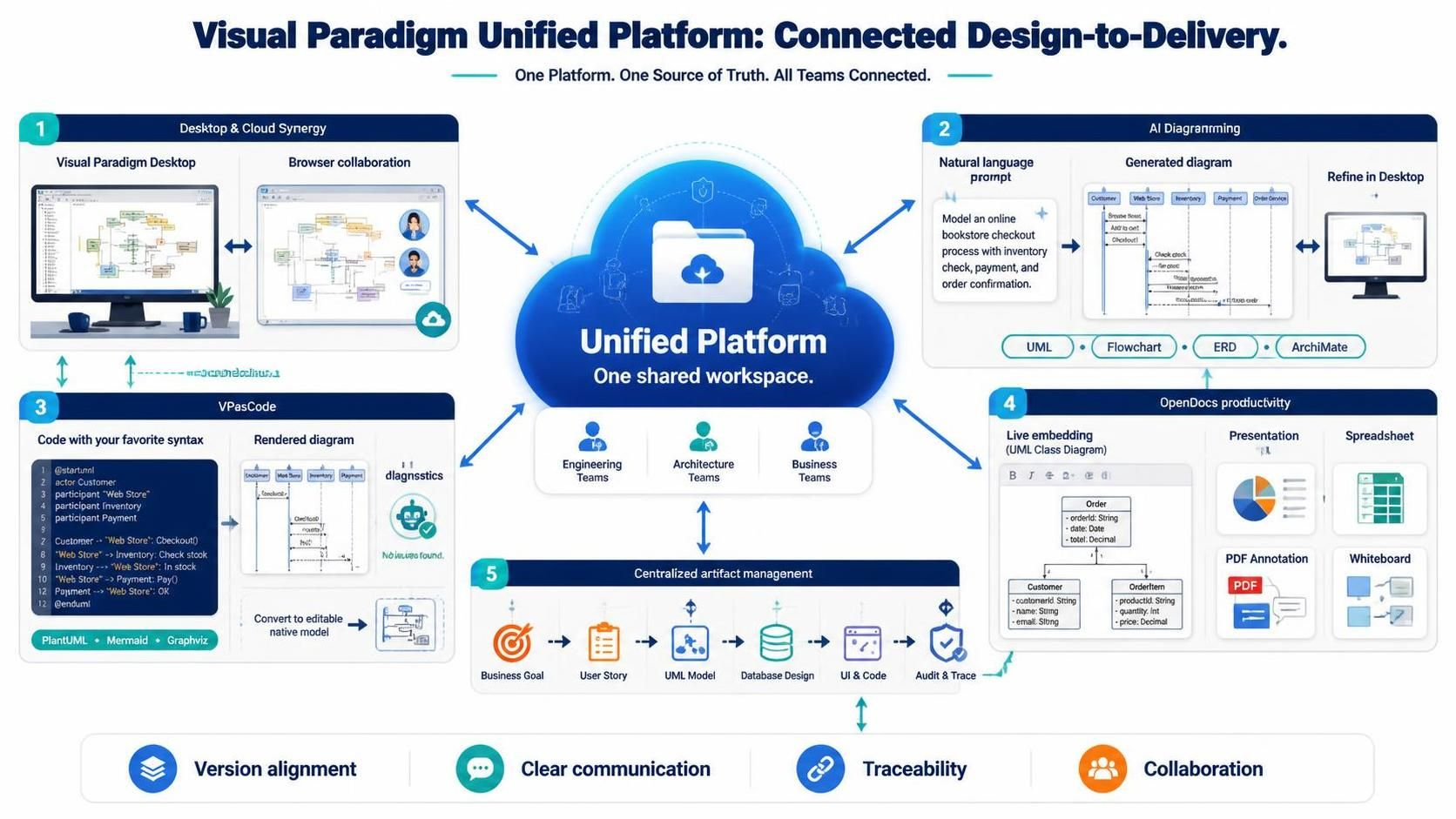
This guide explores the core pillars of the Unified Platform, providing key concepts, practical examples, and setup insights for teams looking to integrate their workflows.
Core Pillars & Capabilities
1. Desktop & Cloud Synergy
The foundation of the Unified Platform is its ability to make local desktop projects visible alongside cloud-based assets.
-
Key Concept: Instead of emailing
.vppfiles or uploading static exports, users can access their local Visual Paradigm Desktop projects directly through the Unified Platform interface. This creates a hybrid environment where heavy-duty modeling stays on the desktop, while review and collaboration happen in the cloud. -
How It Works: Users can navigate to
Team > Unified Platformin the Desktop application or access the dashboard via a web browser. Projects are organized in a familiar drive-like structure. -
Example: An enterprise architect creates a detailed ArchiMate model on their local machine using Visual Paradigm Professional. They push this project to the Unified Platform. Business analysts can then view the high-level diagrams in their browser without needing the desktop software installed, leaving comments and feedback directly on the cloud view.
2. AI Diagramming & Generation
Generative AI is integrated directly into the workflow to accelerate the initial stages of design.
-
Key Concept: Natural language prompts are converted into structural blueprints. This lowers the barrier to entry for non-technical stakeholders and speeds up brainstorming for engineers.
-
Supported Formats: UML, Flowcharts, Entity-Relationship Diagrams (ERD), and ArchiMate.
-
Example: A product manager types: “Create a sequence diagram for a user logging in via OAuth2 with a fallback to email verification.” The AI generates a draft sequence diagram. This draft can be imported directly into Visual Paradigm Desktop for refinement, adding specific class details, constraints, and code generation mappings.
3. VPasCode (Diagram-as-Code)
For developers who prefer text-based definitions, the platform supports standard diagramming languages.
-
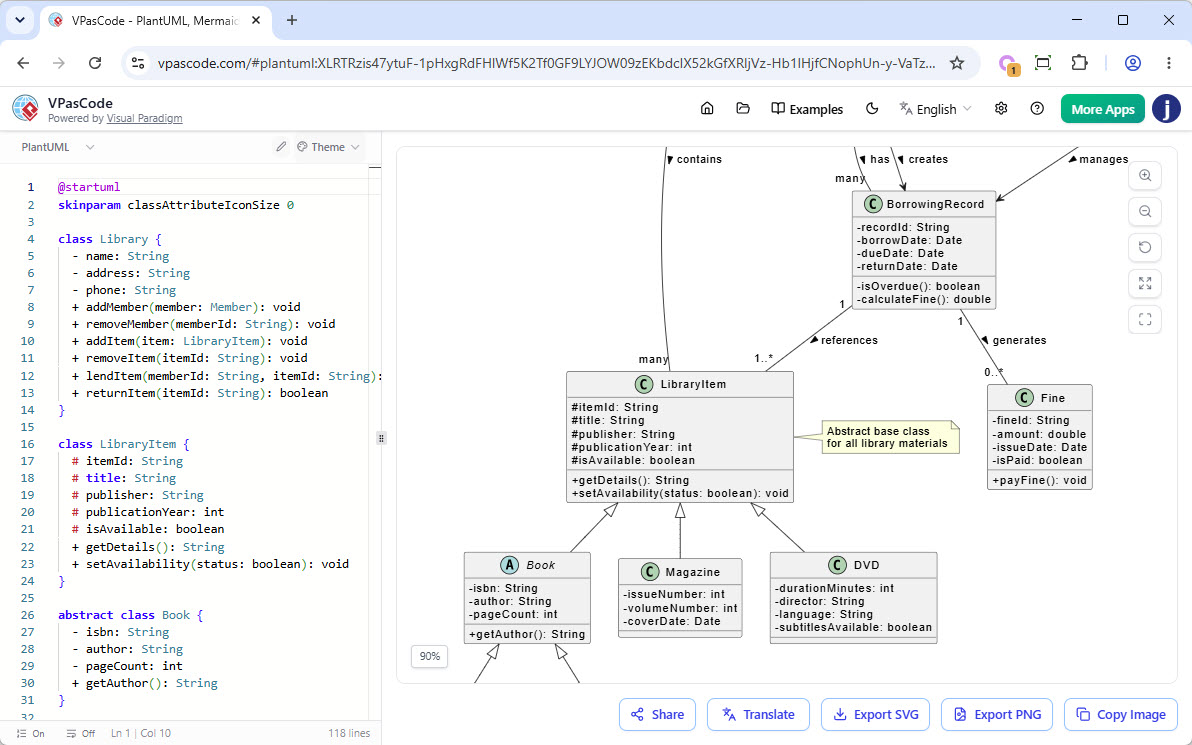
Key Concept: Write code, get diagrams. Supports PlantUML, Mermaid, and Graphviz. Changes in code trigger real-time rendering updates.
-
AI Diagnostics: If the syntax is incorrect, built-in AI helps diagnose and fix errors.
-
Seamless Conversion: Text-based diagrams can be converted into editable, model-based diagrams within Visual Paradigm Desktop, allowing for deeper analysis and reverse engineering.
-
Example: A DevOps engineer maintains infrastructure diagrams in Mermaid format within their Git repository. Using VPasCode, they paste the Mermaid code into the Unified Platform. It renders instantly. They then convert it to a native VP model to link it with their deployment pipeline artifacts and add metadata for compliance tracking.
4. Integrated Productivity & Documentation (OpenDocs)
The platform includes a suite of office tools designed to keep technical and business content together.
-
Key Components:
-
OpenDocs Document Editor: For writing requirements and specifications.
-
Presentation & Spreadsheet: For roadmaps and data analysis.
-
PDF Editor: For annotating contracts or signed-off designs.
-
Excalidraw Whiteboards: For freeform brainstorming and sketching.
-
-
Live Embedding: Technical diagrams from Visual Paradigm can be embedded directly into OpenDocs documents. When the source model updates, the diagram in the document reflects the change.
-
Example: A team writes a Product Requirements Document (PRD) in OpenDocs. They embed a live UML Class Diagram from their VP project. As developers refine the class structure in Desktop, the PRD automatically stays up-to-date, eliminating the need for manual screenshot replacements.
5. Centralized Artifact Management
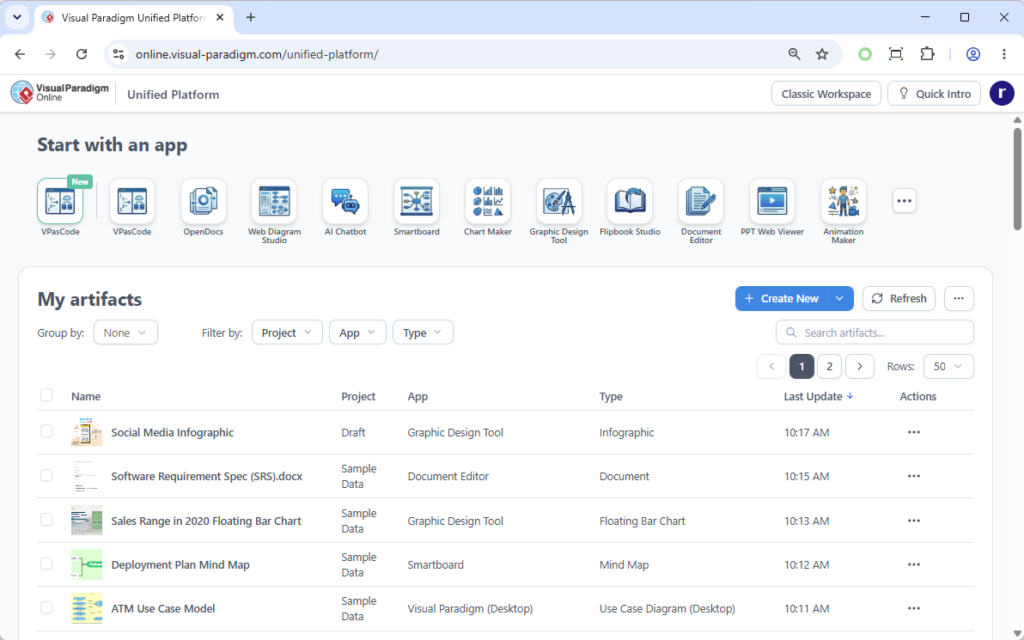
The Unified Platform connects disparate artifacts into a connected lifecycle.
-
Key Concept: Traceability. Link business goals to user stories, user stories to UML models, models to database designs, and designs to UI mockups and source code.
-
Example: A stakeholder wants to understand why a specific database table was added. Using the traceability features, they can click through from the Business Goal -> User Story -> Logical Data Model -> Physical Database Schema -> Source Code Mapping. This provides full context and auditability.
License Requirements & Access
Understanding licensing is crucial for effective deployment:
-
Base Access: All users can access the Unified Platform dashboard to view projects and basic assets.
-
Advanced Features: To utilize deep enterprise modeling features, advanced online applications, and full editing capabilities, a Visual Paradigm Professional Edition license (or higher) with an active software maintenance or subscription plan is required.
-
Recommendation: Organizations should assess which team members need full modeling capabilities (Desktop/Professional) versus those who only need review and documentation access (Standard/Online).
Getting Started: Integration Workflow
-
Assess Current Tools: Identify if your team uses Visual Paradigm Desktop, VP Online, or both. Determine which diagramming standards (UML, ArchiMate, BPMN) are critical.
-
Set Up Unified Platform: Log in to online.visual-paradigm.com/unified-platform/ and explore the dashboard.
-
Connect Desktop Projects: In Visual Paradigm Desktop, go to
Team > Unified Platformand sync your local projects. -
Leverage AI: Try generating a simple flowchart or UML diagram using the AI chatbot feature to understand its capabilities.
-
Embed in Documentation: Create a new document in OpenDocs and embed a live diagram from your synced project.
-
Establish Governance: Define naming conventions and folder structures within the Unified Platform to maintain organization as more teams join.
Conclusion
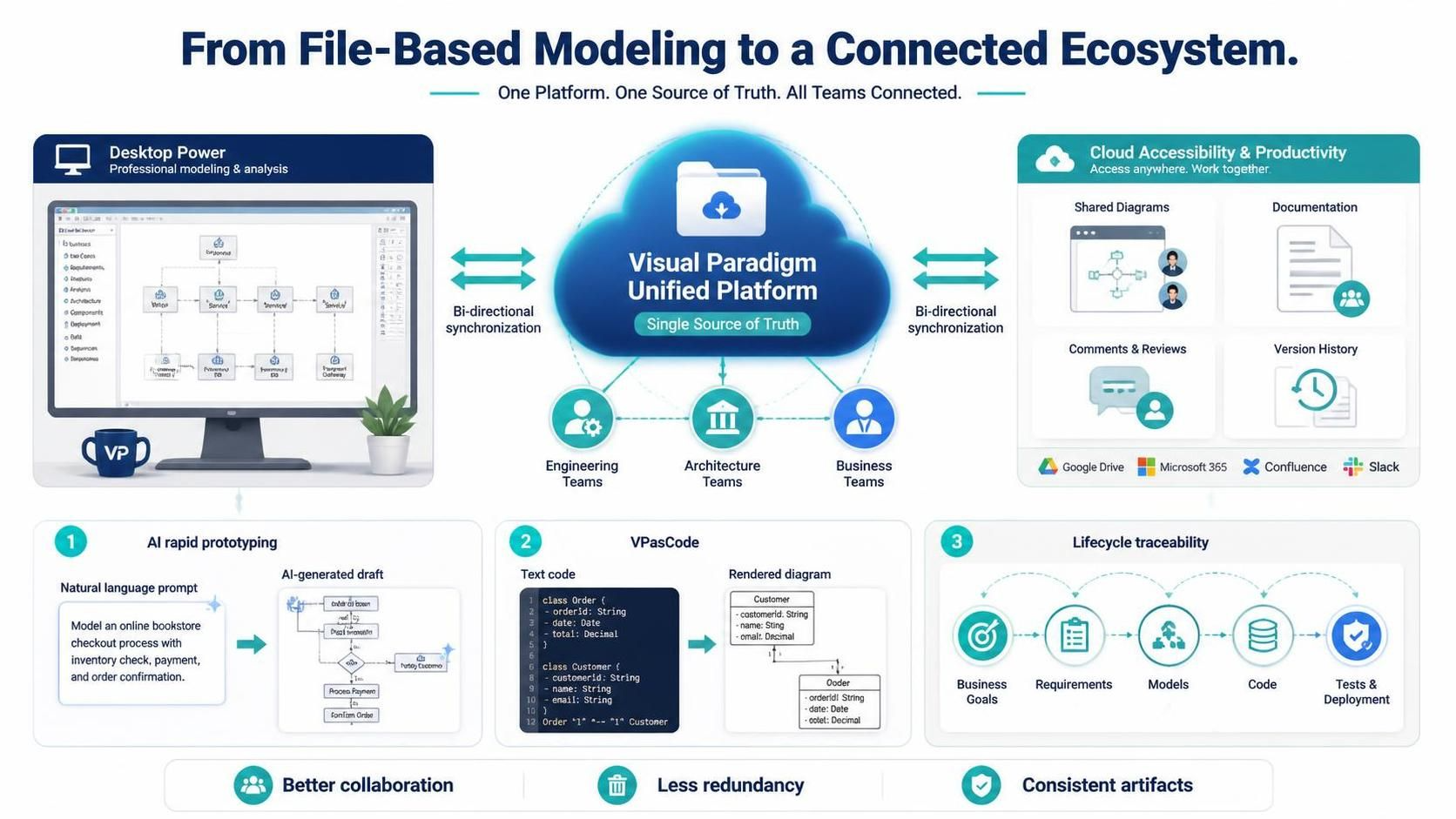
The Visual Paradigm Unified Platform represents a significant shift from file-based modeling to a connected, collaborative ecosystem. By bridging the power of desktop-based professional modeling with the accessibility of cloud-based productivity tools, it breaks down silos between engineering, architecture, and business teams.
Whether you are leveraging AI for rapid prototyping, using VPasCode for developer-friendly diagramming, or maintaining traceability across the entire product lifecycle, the Unified Platform provides a single source of truth. For organizations aiming to enhance collaboration, reduce redundancy, and ensure consistency across their technical and business artifacts, adopting this unified approach is a strategic imperative.
To explore the ecosystem further, visit the Visual Paradigm Unified Platform or review detailed capabilities on the Features Page.