
From Static to Smart: Visual Paradigm Pipeline, OpenDocs & VPasCode
In the modern software development lifecycle, documentation often becomes a bottleneck. Engineers spend hours chasing outdated screenshots, product managers struggle with “which version is correct?”, and technical writers fight against broken links. The solution lies in shifting from static documentation to a living, breathing knowledge base.
This tutorial explores the architecture of the Visual Paradigm Pipeline and its integration with OpenDocs. We will break down how this ecosystem creates a “Single Source of Truth,” automates version tracking, and ensures cross-tool interoperability.
1. The Core Architecture: The Pipeline
At the center of this ecosystem is the Pipeline. Unlike a traditional file system where a diagram is a static file sitting on a hard drive, the Pipeline treats a diagram as a dynamic data object.
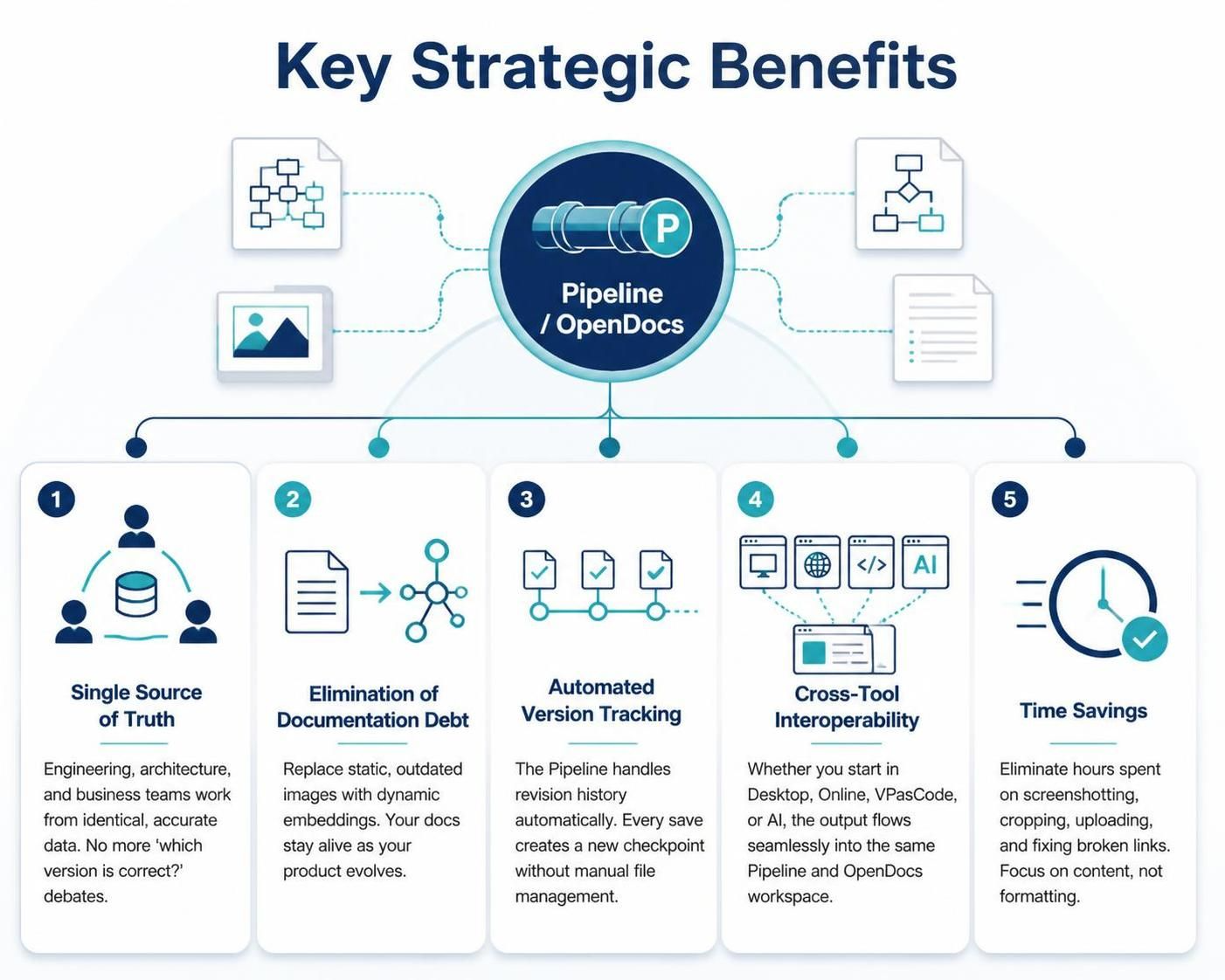
When you push a diagram into the Pipeline, you are not just uploading an image; you are creating a connection to the source model. This allows the documentation to “watch” the diagram. If the diagram changes, the documentation updates automatically. This concept is visually represented by the central hub connecting various data sources and outputs.
- Input: Diagrams from Desktop, Online, VPasCode, or AI.
- Processing: The Pipeline generates dynamic embeddings and manages revision history.
- Output: Live, up-to-date content in the OpenDocs workspace.
The Shift to Dynamic Embeddings
Traditional documentation relies on static artifacts—PNGs or JPEGs. These suffer from “Documentation Debt,” where the image no longer matches the code or model. The Pipeline eliminates this by replacing static images with dynamic embeddings.
Think of an embedding as a live window. Instead of a photo of a room, it is a window into the room. If you move a piece of furniture in the room (update the model), the view in the documentation changes instantly.
2. Step-by-Step: Implementing the Workflow
To experience this architecture in action, you can follow this standard workflow. The goal is to move a critical diagram from your modeling environment into the Pipeline.
Step 1: Select the Source Diagram
Start with a diagram that is critical to your project. This could be a System Architecture diagram, a Use Case model, or a Process Flow. It does not matter if you are working in Visual Paradigm Desktop, Online, or even generating it via AI.
Step 2: Push to the Pipeline
Initiate the upload. In the Visual Paradigm ecosystem, this action is seamless. The system automatically captures the diagram state and pushes it to the cloud-based Pipeline repository. This creates the first “checkpoint” in the revision history.
Step 3: Embed in OpenDocs
Once the diagram is in the Pipeline, you can embed it directly into your documentation using the OpenDocs workspace. You do not need to “save as image” or “copy-paste.” You simply reference the diagram ID.
3. The Benefits of Automation
The true power of this system is revealed when changes occur. In a traditional workflow, updating documentation requires a manual loop: Edit Diagram -> Export Image -> Replace Image in Doc -> Update Links. In the Pipeline ecosystem, this loop is broken.
Automated Version Tracking: Every time you save the model in your source tool, the Pipeline records a new revision. There is no need for manual file management or version naming conventions like v2final_v3.png.
Cross-Tool Interoperability: The Pipeline acts as a universal translator. Whether the diagram originated in a text-based tool like VPasCode or a visual drag-and-drop interface, the Pipeline normalizes the data into a unified format that OpenDocs can render.
4. Conclusion
The Visual Paradigm Pipeline transforms documentation from a chore into a seamless extension of your design process. By bridging the gap between dynamic visual modeling and living documentation, it ensures that your team’s knowledge base is always accurate, accessible, and aligned with reality.
For Product Managers, this means less time chasing down updated diagrams and more time focusing on strategy. For engineers and technical writers, it means freedom from the tedious cycle of manual updates. Start small: pick one critical diagram, push it to the Pipeline, and experience the sync firsthand.