
Master Mermaid with VPasCode: Live AI Chatbot & PERT Chart Editing
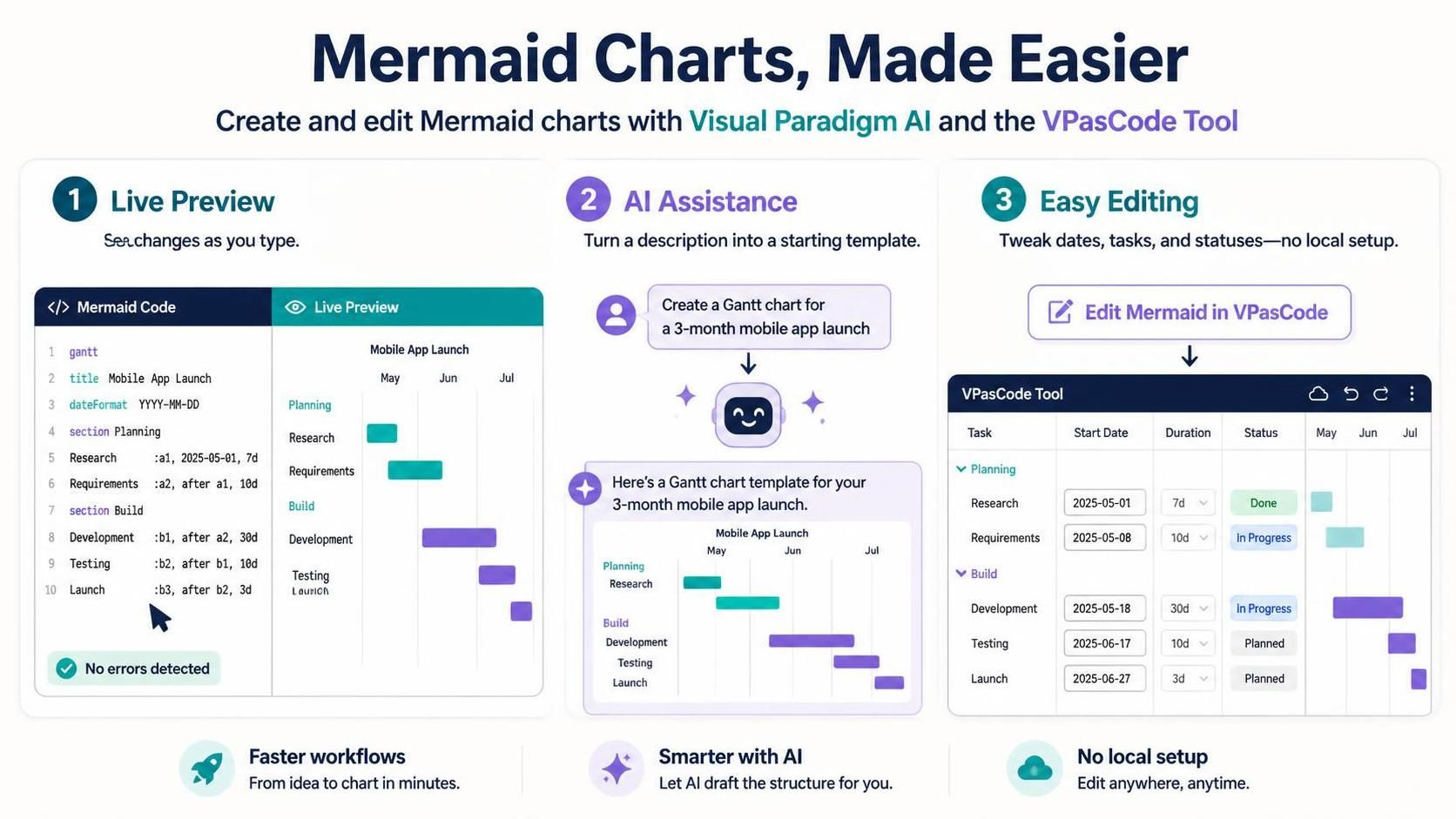
In the realm of technical documentation and software architecture, clarity is king. While Mermaid is a powerful text-based diagramming tool, working with it in a plain text editor can often feel like a solitary, error-prone endeavor. This is where Visual Paradigm AI and the VPasCode Tool revolutionize the workflow, transforming Mermaid from a static syntax into a dynamic, interactive experience.
This tutorial explores the three-pillar architecture of this modern toolset: Live Preview, AI Assistance, and Easy Editing. By mastering these features, you can streamline your documentation process from concept to final diagram without the friction of complex local environments.
1. The Power of Live Preview
Traditionally, when writing code-based diagrams, you often have to save, compile, and refresh to see if your syntax is correct. This “edit-compile-refresh” loop can be slow and frustrating. VPasCode introduces a Live Preview architecture that eliminates this latency.
VPasCode provides an instant visual feedback loop. As you type your Mermaid code, the chart renders in real-time. This allows you to catch syntax errors immediately—before they propagate into your final documentation. You can see exactly how your data structures translate into visual elements like bars, arrows, or nodes.
For example, consider a basic Gantt chart structure. With VPasCode, you can type the following code and see the timeline appear instantly:
gantt
  title Mobile App Launch
  dateFormat  YYYY-MM-DD
  section Planning
  Research    :a1, 2025-05-01, 7d
  Requirements :a2, after a1, 10d
  section Build
  Development :b1, after a2, 30d
  Testing     :b2, after b1, 10d
  Launch      :b3, after b2, 3d
Why Live Preview Matters
- Immediate Validation: Syntax errors are highlighted instantly, preventing the “broken diagram” look in your final reports.
- Iterative Design: You can tweak dates or labels and see the visual impact immediately, facilitating better design decisions.
- Reduced Cognitive Load: You don’t have to mentally visualize the layout; the tool does it for you.
2. AI Assistance: From Text to Template
One of the most significant barriers to using Mermaid is the learning curve associated with its specific syntax. You need to remember specific keywords like gantt, section, and date formats. This is where Visual Paradigm AI steps in to act as a junior developer, helping you generate initial chart structures based on natural language descriptions.
Instead of staring at a blank editor, you can simply describe your project. For instance, you might ask the AI chatbot:
“Create a Gantt chart for a 3-month mobile app launch.”
The AI processes this prompt and generates a solid starting template. It understands the logical dependencies between tasks (e.g., Testing cannot start before Development is done) and applies the correct Mermaid syntax automatically.
This feature is particularly useful for:
- Rapid Prototyping: Quickly sketching out project timelines or system flows.
- Learning: Observing the generated code helps you understand how to structure complex diagrams.
- Standardization: Ensuring your diagrams follow best practices for naming conventions and layout.
3. Easy Editing: The No-Code Bridge
Even with AI assistance, you will inevitably need to tweak specific details—perhaps a task duration changes, a date slips, or a status needs updating. Traditionally, this requires editing the code manually, which can be tedious.
The VPasCode Tool bridges this gap with an “Easy Editing” interface. By utilizing the linked “Edit Mermaid in VPasCode” functionality, you can jump directly into an interactive editor. This tool allows you to tweak dates, add tasks, or change statuses visually—often through form inputs or dropdowns—without needing to set up a local environment or memorize Mermaid syntax.
The interface typically breaks down the diagram into a tabular format:
| Task | Start Date | Duration | Status |
|---|---|---|---|
| Research | 2025-05-01 | 7d | Done |
| Development | 2025-05-18 | 30d | In Progress |
| Launch | 2025-06-27 | 3d | Planned |
This approach allows for edit anywhere, anytime. You can update the project status in a click, and the underlying Mermaid code updates seamlessly to reflect those changes.
Conclusion
The combination of Visual Paradigm AI and VPasCode represents a significant leap forward in how we approach technical diagramming. By integrating Live Preview for immediate feedback, AI Assistance for rapid generation, and Easy Editing for intuitive modifications, you can focus less on the syntax and more on the architecture of your ideas.
Whether you are a project manager defining a roadmap or a developer mapping out a system flow, these tools ensure that your visual communication is fast, accurate, and professional.