


Talk to Your Diagrams: Experience Conversational Design Refinement
For decades, visual modeling was a labor-intensive, manual process that required users to wrestle with rigid templates and complex notations. The emergence of the Visual Paradigm AI Chatbot marks a significant paradigm shift, moving beyond static, one-off generation to a truly conversational design experience. Instead of manual drag-and-drop adjustments, professionals can now refine their ideas through a natural dialogue that transforms intent into high-fidelity models instantly.
The Power of Context-Aware Dialogue
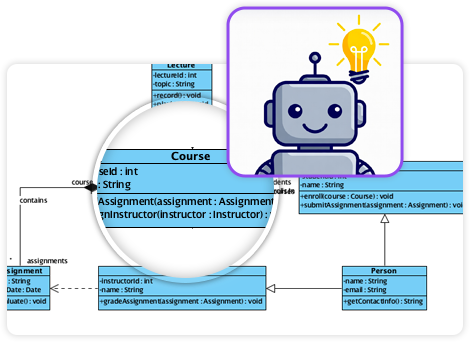
The core of conversational refinement lies in the chatbot’s context-aware dialogue layer. Unlike generic AI tools that treat every prompt as a new task, this assistant maintains the state of the diagram throughout the entire conversation. This allows users to build and modify their work progressively, as the AI understands the existing structure and relationships within the model.
Users can evolve their designs live using simple, plain-English commands. For instance, a user might instruct the AI to “Add a new use case ‘Export Report’,” “Rename ‘User’ to ‘Customer’ everywhere,” or “Make the activity loop tighter”. The chatbot processes these requests and updates the visual output instantly, ensuring that logical coherence is maintained across all connected elements without the user ever touching a mouse.
Strategic and Logical Expansion
Conversational refinement is not limited to simple text changes; it extends to deepening the complexity of a system or strategy. The chatbot acts as a proactive co-pilot by suggesting logical next steps or alternative scenarios.
- Layering Frameworks: After generating a baseline SWOT analysis, a user can ask to “add a PESTLE layer” to explore external influences, such as legal or environmental factors.
- Handling Technical Alternatives: In UML sequence diagrams, users can refine logic by adding branches for error handling, timeouts, or retries. For example, the AI can be commanded to “Include branches for invalid promo codes” in an e-commerce checkout flow, automatically inserting the necessary UML alt fragments.
Beyond Pixels: Reasoning and Documentation
Because the chatbot “thinks in diagrams” rather than just drawing shapes, it can reason over the model it has created. Users can query their diagrams in plain English to identify design flaws, asking questions like “What are the single points of failure in this architecture?” or “Does this class diagram violate the Law of Demeter?”.
Furthermore, once the visual model is refined, the AI can generate on-demand documentation. It can turn a complex sequence diagram into a step-by-step technical specification or a stakeholder-friendly project summary in seconds. This ensures that documentation and design remain in lockstep, providing visual and textual clarity for the entire team.
Seamless Ecosystem Integration
A critical differentiator of this conversational workflow is its integration with the Visual Paradigm Desktop and Online environments. Diagrams generated and refined through chat are not static images; they are first-class modeling objects. This means a user can start a design via a conversational prototype and then import it into the desktop suite for high-precision editing, simulating timings, or managing complex traceability across a large-scale project. This “Offline Modeling, Online Intelligence” hybrid workflow ensures that the speed of AI is always backed by professional-grade engineering tools.
Analogy for Understanding: Refining a diagram with the AI chatbot is like directing a master sketch artist. Instead of grabbing the pencil yourself to erase and redraw lines, you simply give instructions like “make the windows larger” or “add a garage on the left,” and the artist instantly updates the drawing while ensuring the entire house remains structurally sound and follows professional blueprints.
- AI Chatbot Feature – Intelligent Assistance for Visual Paradigm Users: Leverage AI-powered chatbot functionality to get instant guidance, automate tasks, and enhance productivity within Visual Paradigm.
- Visual Paradigm AI Chatbot Enhances Multi-Language Support: Discover the latest updates to Visual Paradigm ‘s AI -Powered visual modeling software, including multi-language UI and improved chat content localization.
- AI Chatbot for Diagramming: How It Works with Visual Paradigm: The Visual Paradigm AI chatbot is an AI -powered modeling assistant that turns natural language into diagrams. It doesn’t require users to learn specific modeling standards or syntax.
- Case Study: Enhancing System Modeling Efficiency with Visual Paradigm’s AI-Powered Chatbot: This case study demonstrates how Visual Paradigm’s AI chatbot improves productivity and accuracy in system modeling by enabling conversational diagram creation.
- Visual Paradigm AI Chatbot: The World’s First Purpose-Built AI Assistant for Visual Modeling: Visual Paradigm launches its groundbreaking AI chatbot, designed specifically to assist users in visual modeling tasks with natural language interactions and intelligent guidance.
- Introducing Visual Paradigm AI Chatbot: Intelligent Design Assistance: Discover how Visual Paradigm’s AI chatbot enhances design workflows by offering real-time suggestions and automating repetitive tasks.
- Mastering Sequence Diagrams with Visual Paradigm: AI Chatbot Tutorial: A beginner-friendly tutorial using Visual Paradigm to create sequence diagrams, illustrated through a real-world e-commerce chatbot use case.
- Integrating AI Activity Diagrams into Your Visual Paradigm : Learn how to use AI -powered modeling software to generate and refine activity diagrams with natural language. Discover the benefits of AI chatbot diagram generation in UML workflows.
- Beginner’s Tutorial: Create Your First Professional Sequence Diagram in Minutes: A beginner-friendly guide to generating professional sequence diagrams quickly using Visual Paradigm’s AI chatbot feature.
- Comprehensive Tutorial: Generating and Modifying C4 Component: This tutorial is based on the official Visual Paradigm product demo video, demonstrating how to use the AI-powered Chatbot to create and iteratively refine a C4 Component Diagram for a car park booking system. SWOT Analysis via AI Chat in Visual Paradigm: This interactive page allows users to generate SWOT analyses through an AI-powered chat interface within the Visual Paradigm environment.
- Meet the AI SWOT Assistant: How Visual Paradigm’s Chatbo: Discover how the visual paradigm chatbot provides natural language diagram generation for business frameworks like SWOT , PEST, and more—turning ideas into clear strategic models with AI -powered analysis .