
Creating a robust Object-Oriented Design Document (OODD) is a critical step in the software development lifecycle. It bridges the gap between abstract requirements and concrete implementation. This guide provides a structured approach to documenting your system architecture using object-oriented principles. Whether you are working on a small utility or a large-scale enterprise system, a clear design document saves time and reduces errors during the coding phase. 🛠️
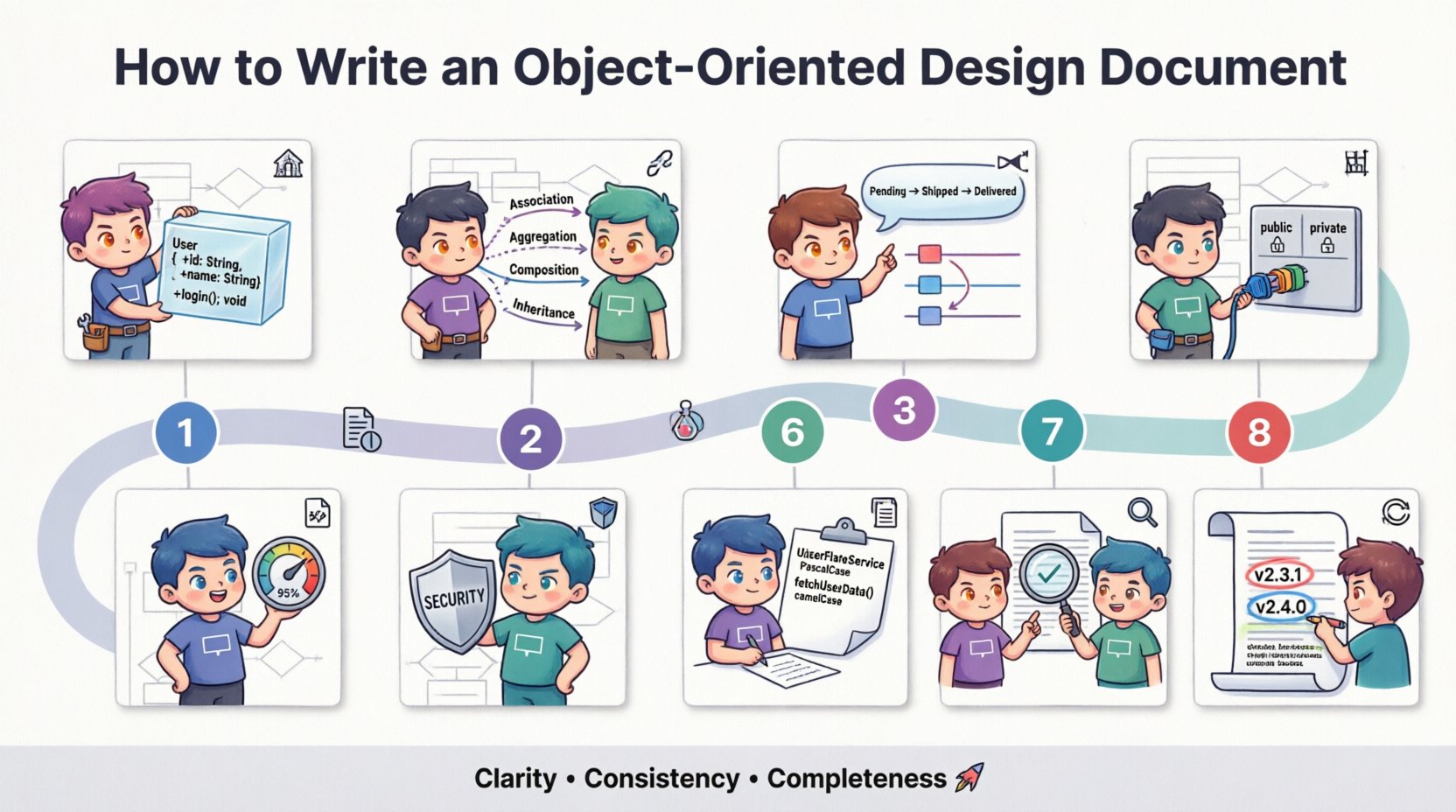
🔍 Understanding the Object-Oriented Design Document
An Object-Oriented Design Document serves as the blueprint for developers. It details how the system will be constructed using objects, classes, and interfaces. Unlike procedural documentation, this format focuses on encapsulation, inheritance, and polymorphism. The document ensures that all stakeholders, from project managers to engineers, share a unified vision of the system behavior.
The primary goal is clarity. When a developer reads the document, they should understand exactly what data needs to be stored, what actions the system must perform, and how different components interact. Ambiguity in this phase often leads to technical debt later. Therefore, precision is paramount. 🎯
📋 Essential Components of the Document
A comprehensive OODD is not just a collection of diagrams. It requires textual explanations, structural definitions, and behavioral specifications. Below is a breakdown of the core sections that should be included.
- Introduction and Scope: Defines the purpose of the document and the boundaries of the system.
- System Overview: High-level view of the architecture and major subsystems.
- Class Structure: Detailed definitions of classes, attributes, and methods.
- Relationships and Inheritance: How classes relate to one another.
- Behavioral Models: Descriptions of state changes and interactions.
- Interface Definitions: APIs and external communication protocols.
- Non-Functional Requirements: Performance, security, and scalability constraints.
🏗️ Phase 1: Defining the Class Structure
The heart of object-oriented design is the class. Each class represents a specific concept within the domain. When documenting these, you must specify the data they hold and the operations they perform.
📦 Attributes and Data Types
Every class requires attributes. These are the variables that store state. In your document, list each attribute with its data type and visibility level.
- Visibility: Use standard modifiers like private, protected, or public.
- Data Types: Specify primitive types (integers, strings) or complex types (arrays, objects).
- Constraints: Note any limits, such as maximum length or minimum values.
⚙️ Methods and Operations
Methods define the behavior of the class. They manipulate the attributes or interact with other objects. Document each method with the following details:
- Signature: Name, parameters, and return type.
- Purpose: A brief sentence explaining what the method does.
- Logic Flow: For complex methods, describe the algorithm or steps involved.
- Exceptions: List any errors the method might throw and how they are handled.
🔗 Phase 2: Modeling Relationships
Objects rarely exist in isolation. They interact through relationships. Accurately documenting these connections prevents logical errors in the code.
🕸️ Types of Relationships
Differentiate clearly between the following relationship types:
- Association: A general connection between two classes.
- Aggregation: A “whole-part” relationship where parts can exist independently.
- Composition: A strict “whole-part” relationship where parts cannot exist without the whole.
- Inheritance: A “is-a” relationship where a subclass derives properties from a superclass.
📊 Relationship Matrix
For complex systems, a table can clarify relationships better than text alone.
| Source Class | Target Class | Relationship Type | Cardinality |
|---|---|---|---|
| Order | Product | Association | 1 to Many |
| User | Profile | Composition | 1 to 1 |
| PaymentProcessor | Transaction | Aggregation | 1 to Many |
🎬 Phase 3: Behavioral Modeling
Static structure is not enough. You must define how the system behaves over time. This section covers state changes and interactions between objects.
🔄 State Machines
Some objects have distinct states. For example, an Order object might be in Pending, Shipped, or Delivered states. Document the valid states and the triggers that cause transitions.
- Initial State: The starting point of the object.
- Events: Actions that trigger a change (e.g., “User clicks Pay”).
- Final State: Where the object ends up after the process completes.
⏱️ Sequence Diagrams
Sequence diagrams illustrate the order of messages exchanged between objects. While the document is text-heavy, describing the flow is essential. Break down complex user flows into steps.
- Identify the initiating object.
- List the sequence of method calls.
- Note any return values passed back up the chain.
- Identify points of failure or error handling.
🧩 Phase 4: Interface and API Design
Interfaces define the contract between components. They allow different parts of the system to communicate without knowing internal details. This promotes loose coupling.
🔌 Public Interfaces
Document all public-facing methods. These are the entry points for external systems or other modules. Ensure that:
- Input parameters are clearly defined.
- Output formats are standardized.
- Versioning strategies are considered for future changes.
🔒 Private Interfaces
Internal interfaces handle logic that should not be exposed. Even though they are private, documenting them helps maintainers understand the internal architecture. List these separately to distinguish them from public contracts.
🛡️ Phase 5: Non-Functional Requirements
Functional requirements describe what the system does. Non-functional requirements describe how the system performs. These are critical for scalability and reliability.
🚀 Performance Metrics
Specify limits and targets for system speed.
- Response Time: Maximum acceptable delay for user actions.
- Throughput: Number of transactions processed per second.
- Latency: Network delay expectations.
🔒 Security Considerations
Security must be woven into the design, not added later. Address the following areas:
- Authentication: How users verify their identity.
- Authorization: What resources users are allowed to access.
- Data Protection: Encryption standards for data at rest and in transit.
- Audit Trails: Logging of critical actions for accountability.
📝 Phase 6: Documentation Standards
Consistency in documentation makes it easier to read and maintain. Adopt a set of rules for naming, formatting, and versioning.
🏷️ Naming Conventions
Use consistent naming for classes, methods, and attributes. This reduces cognitive load for developers reading the code later.
- Classes: Use PascalCase (e.g.,
CustomerAccount). - Methods: Use camelCase (e.g.,
calculateTotal). - Attributes: Use camelCase with a prefix for visibility if needed (e.g.,
_idfor private).
📅 Version Control
Design documents evolve. Use a versioning system to track changes. Include a changelog section at the end of the document. This should list:
- Version number.
- Date of update.
- Author of the change.
- Description of modifications.
🧪 Phase 7: Review and Validation
Before finalizing the document, a review process is necessary. This ensures that the design is feasible and complete.
👥 Stakeholder Review
Share the document with key stakeholders. Ask them to verify that the design meets the business requirements. This step catches gaps in logic early.
- Check for missing requirements.
- Verify that edge cases are handled.
- Ensure the scope matches the project goals.
🔍 Technical Feasibility
Have senior engineers review the technical approach. They can identify potential bottlenecks or architectural flaws that might not be obvious to business analysts.
- Assess database schema efficiency.
- Review algorithm complexity.
- Validate dependency management.
🔄 Phase 8: Maintenance and Evolution
An OODD is a living document. As the system grows, the design must adapt. Plan for how updates will be managed.
🔄 Change Management
When a requirement changes, the design document must be updated. Avoid updating the code without updating the documentation. This creates a disconnect that confuses future developers.
📚 Knowledge Transfer
Use the document to onboard new team members. A well-written OODD acts as a training resource. It explains the “why” behind the code, not just the “what”.
⚠️ Common Pitfalls to Avoid
Several mistakes frequently occur during the design phase. Being aware of them helps you steer clear of them.
- Over-Engineering: Creating complex hierarchies that are not needed. Keep it simple.
- Under-Documenting: Skipping details because they seem obvious. What is obvious now may not be in six months.
- Ignoring Edge Cases: Focusing only on the happy path. Real-world data is messy.
- Lack of Consistency: Mixing naming styles or diagram formats throughout the document.
- Static Design: Treating the document as a one-time task. Design must evolve with the product.
💡 Best Practices for Clarity
To ensure your document is effective, follow these guidelines.
- Use Visuals: Diagrams complement text. Use them where possible to simplify complex flows.
- Keep it Concise: Avoid long paragraphs. Use bullet points and tables for data.
- Define Terminology: Include a glossary for domain-specific terms to avoid confusion.
- Link to Requirements: Reference the original requirement documents so traceability is maintained.
- Review Regularly: Schedule periodic reviews to keep the design current.
📈 Measuring Success
How do you know if your OODD is good? Look for these indicators.
- Reduced Rework: Developers spend less time fixing logic errors.
- Faster Onboarding: New hires understand the system quickly.
- Clear Communication: Stakeholders understand the technical constraints.
- Consistent Code: The implementation matches the design specifications.
🛠️ Final Thoughts
A well-structured Object-Oriented Design Document is the foundation of a maintainable system. It requires effort and discipline, but the long-term benefits outweigh the initial investment. By following these guidelines, you create a clear path for development and ensure that the system remains robust as it scales. Focus on clarity, consistency, and completeness. These principles will guide your team toward success. 🚀