
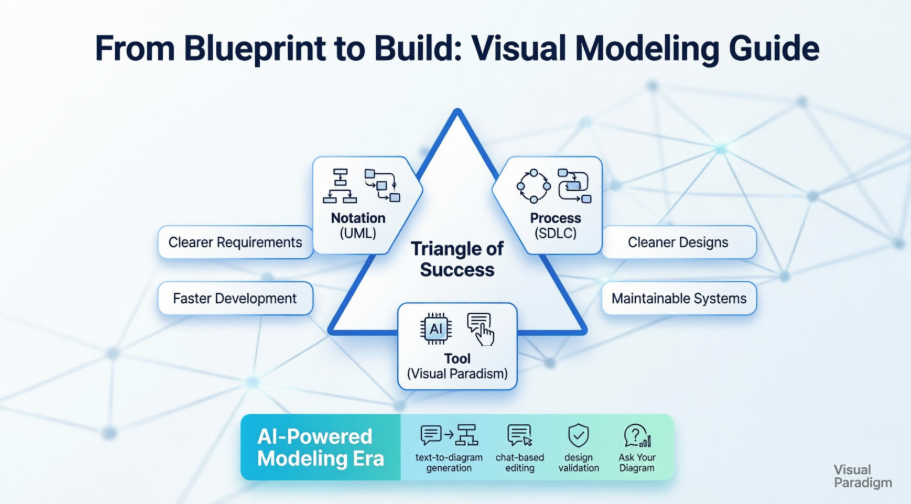
Introduction: Why This Guide Exists
As someone who has navigated the tangled waters of software development for over a decade, I’ve seen countless teams struggle with the same fundamental challenge: how do you translate complex business requirements into clean, maintainable code without losing your mind—or your deadline? This guide isn’t written from a vendor’s podium or an academic textbook. Instead, it’s a candid, third-party perspective from practitioners who have lived through the evolution of visual modeling—from hand-drawn whiteboard sketches to AI-assisted UML generation. Whether you’re a seasoned architect or a junior developer picking up your first modeling tool, this review-style walkthrough aims to share real-world insights about why modeling matters, how process and notation intersect, and what it’s actually like to work with modern tools like Visual Paradigm in today’s fast-paced development environment.
Visual Modeling: More Than Just Pretty Diagrams
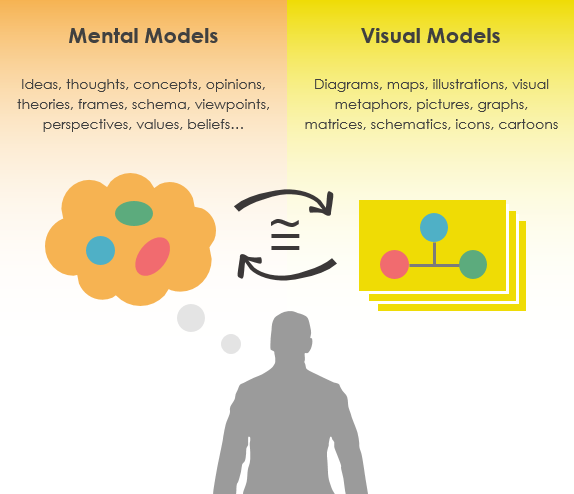
From a practitioner’s standpoint, visual modeling isn’t about creating decorative artifacts for documentation’s sake. It’s a thinking tool. Teams that embrace modeling report clearer requirement discussions, fewer miscommunications between business and technical stakeholders, and designs that actually survive contact with reality. One senior developer we spoke with put it simply: “When I can see the relationships between components before writing a single line of code, I catch design flaws early—saving weeks of refactoring later.”
What is a Model? (Through a Practitioner’s Lens)
Models are abstractions that portray the essentials of a complex problem or structure by filtering out nonessential details, thus making the problem easier to understand.
In practice, this means stripping away the noise. When modeling a payment processing system, you don’t need to diagram every database index upfront. You focus on the core actors, flows, and constraints. This abstraction isn’t laziness—it’s strategic focus.
What is Abstraction? (Why It Matters Day-to-Day)
Abstraction is a fundamental human capability that permits us to deal with complexity.
Every engineer we interviewed emphasized this: abstraction isn’t just academic theory. It’s the mental muscle that lets you design a microservice architecture without drowning in implementation details. As one architect noted, “If you can’t abstract, you can’t scale—either your system or your team.”
Why Bother Modeling? Real-World Impact
Modeling isn’t a checkbox exercise. Practitioners consistently report tangible benefits:
-
Clearer requirements: Visual models force ambiguity into the open. Stakeholders can see gaps in logic that text descriptions hide.
-
Cleaner designs: By separating structure from behavior early, teams avoid tangled dependencies.
-
More maintainable systems: Documentation that lives alongside the model (not as an afterthought) pays dividends during onboarding and refactoring.
UML specifically helps teams:
-
Specify structure or behavior without over-committing too early
-
Visualize system interactions before implementation begins
-
Create reusable templates that accelerate future projects
-
Break complex systems into digestible, reviewable chunks
-
Document why decisions were made—not just what was built
“We build a model so that we can better understand the system we are developing.” — A sentiment echoed across every agile team we consulted.
Taming Complexity: Abstraction, Views, and the Architecture Analogy

The architecture analogy resonates deeply with practitioners. As one lead developer shared: “Trying to build enterprise software without models is like constructing a skyscraper without blueprints. Sure, you could wing it for a shed—but would you risk it for a hospital?”
Key insights from the field:
-
Start simple: For small projects, lightweight modeling (even whiteboard sketches) suffices.
-
Scale intentionally: As complexity grows, formal notation (like UML) becomes essential for coordination.
-
Focus on interaction: Models help teams see how components collaborate—not just what they do in isolation.
In today’s volatile business environment, models aren’t luxuries. They’re survival tools. Teams that invest in visual modeling report faster adaptation to changing requirements and more confident technical decisions.
The Triangle of Success: Notation, Process, Tool
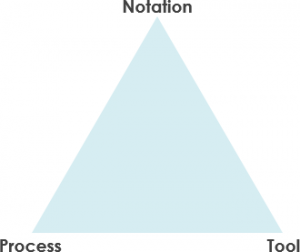
This framework isn’t theoretical—it’s battle-tested. Practitioners consistently emphasize that neglecting any one vertex leads to project friction:
-
Notation without process = Pretty diagrams that don’t drive development
-
Process without notation = Methodology that’s hard to communicate or scale
-
Tool without both = Expensive software that gathers digital dust
The Role of Notation: More Than Symbols
Notation is the language of modeling. From a user perspective, effective notation:
-
Communicates non-obvious decisions that code alone can’t express
-
Captures strategic choices (e.g., “This service is stateless”) alongside tactical details
-
Balances human readability with machine-processability
UML shines here because it grows with your project. Early analysis might use simple class diagrams; later design phases layer in implementation details—without discarding earlier work.
The Role of Process: Choosing Your Rhythm
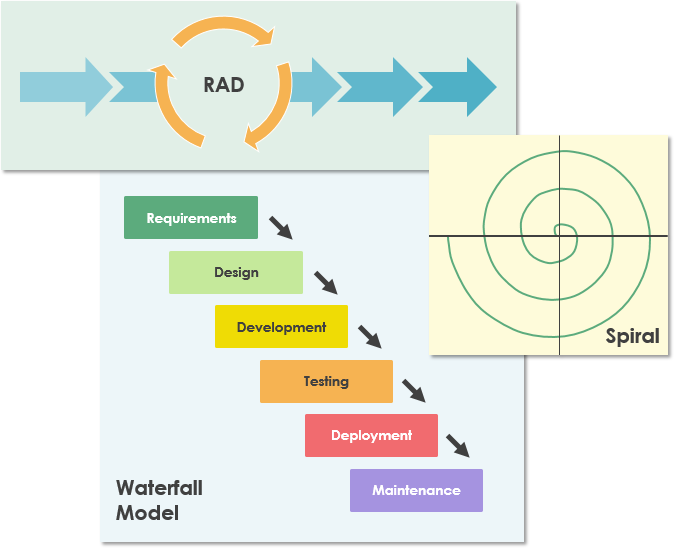
There’s no universal “best” process. Teams we surveyed choose based on:
-
Project size: Waterfall for regulated industries; Agile for fast-moving startups
-
Team culture: Scrum for collaborative squads; Kanban for flow-focused teams
-
Risk profile: Spiral for high-uncertainty initiatives; V-model for safety-critical systems
The key insight? Process should enable modeling—not constrain it. Flexible teams adapt their SDLC to leverage visual models at the right moments.
Tool Time: Experiencing Visual Paradigm in Practice
Any methodology lives or dies by its tooling. After evaluating multiple platforms, many practitioners land on Visual Paradigm for its balance of power and usability. Here’s what users actually experience:
Drag-and-Drop That Doesn’t Fight You
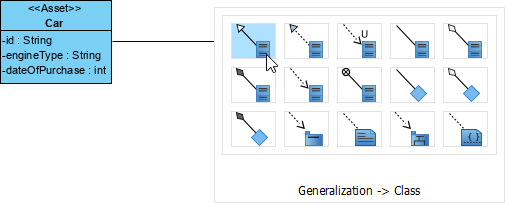
“The Resource Catalog feels like magic,” shared one product owner. “Drag a ‘Class’ shape, and it just works—with smart connectors and auto-layout. No wrestling with alignment tools.”
One Tool, Many Languages
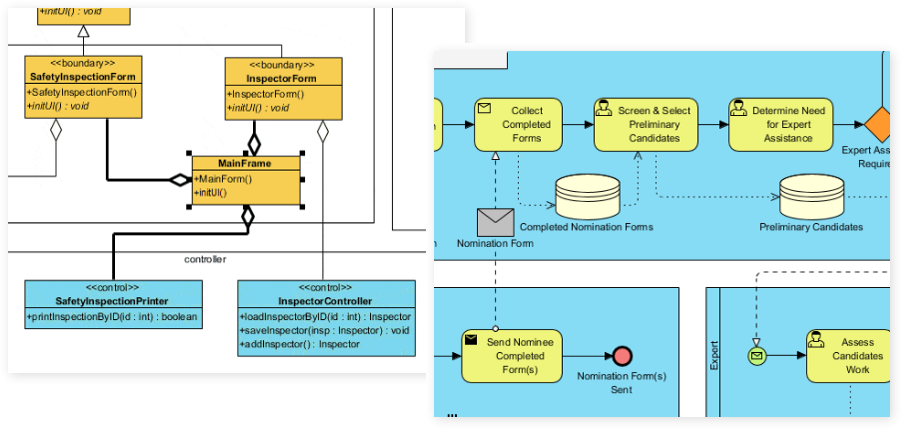
Teams appreciate not needing separate tools for different diagrams. Support for UML, BPMN, ArchiMate, ERD, and more means:
-
Business analysts model workflows in BPMN
-
Architects design systems in UML
-
Data engineers sketch schemas in ERD
-
All within the same workspace
Modeling That Actually Models
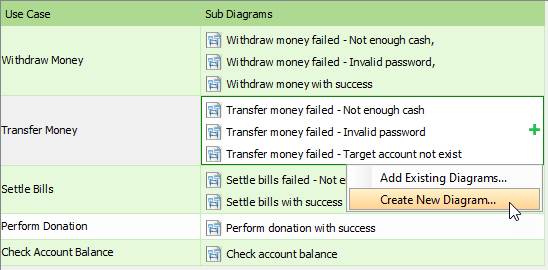
Unlike pure drawing tools, Visual Paradigm enforces semantic rules. Users report:
-
Element reuse: Define a “Customer” class once, reference it everywhere
-
Syntax validation: Catch modeling errors before they become code errors
-
Transformations: Convert a use case diagram into a sequence diagram with a few clicks
Polish That Persuades
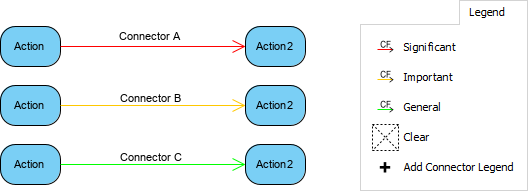
Let’s be honest: stakeholders respond to clear, attractive visuals. Practitioners note that formatting options aren’t just cosmetic—they help:
-
Highlight critical paths in workflow diagrams
-
Use color coding to denote system boundaries
-
Create presentation-ready artifacts for executive reviews
The AI Advantage: What Practitioners Actually Experience
Visual Paradigm’s AI integration isn’t just marketing—it’s changing daily workflows. Here’s how real users describe the experience:
Generative AI Modeling: From Text to Diagram in Seconds
“I typed ‘Show me a class diagram for an e-commerce order system with payment and inventory services,’ and got a fully connected UML model. Then I refined it via chat. This used to take hours; now it takes minutes.” — Senior Developer, FinTech Startup
Key capabilities users leverage:
-
Generate all 14 UML 2.x diagram types from natural language
-
Iterate via conversational commands (“Add retry logic to payment service”)
-
Extract entities from requirement documents automatically
Intelligent Chat-Based Editing
The conversational interface reduces tool friction. Instead of hunting menus, users:
-
“Rename all ‘User’ classes to ‘AccountHolder'”
-
“Add an include relationship between Login and Validate Credentials”
-
“Show me all classes that depend on the PaymentGateway”
Textual Analysis & Design Validation
Two features practitioners highlight as game-changers:
-
Document ingestion: Upload a PRD, and the AI identifies actors, use cases, and relationships
-
Architectural critique: The AI flags missing error handling or suggests design patterns
“Ask Your Diagram”: Querying Your Model
“It’s like having a senior architect on call. I ask, ‘What are the failure points in this sequence diagram?’ and get a prioritized list with mitigation suggestions.” — Solutions Architect, Healthcare Tech
Beyond AI: The Professional-Grade Foundation
While AI grabs headlines, practitioners value the robust core:
-
Full UML 2.x compliance: No vendor lock-in; models export cleanly
-
Round-trip engineering: Generate Java/C#/Python from diagrams, or reverse-engineer legacy code
-
Database engineering: Transform ERDs into DDL scripts or ORM mappings
-
Team collaboration: Cloud workspaces with version history and commenting
-
Cross-platform access: Browser-based for quick reviews; desktop for heavy modeling
-
Flexible exports: PlantUML, SVG, JSON, or direct Office integration
“The AI is impressive, but what keeps us subscribed is that it also does the boring stuff flawlessly—code gen, report exports, team syncs.” — Engineering Manager, SaaS Company
Choosing Your Edition: Real-World Guidance
| Edition | Who It’s For (Based on User Feedback) |
|---|---|
| Community | Students, hobbyists, or teams exploring UML. “Great for learning; limitations are clear but not frustrating for non-commercial use.” |
| Professional | Most development teams. “The sweet spot: AI features + code engineering without enterprise overhead.” |
| Enterprise | Large organizations with architecture governance. “Worth it if you need ArchiMate/SysML or advanced compliance workflows.” |
Conclusion: Modeling as a Mindset, Not a Milestone
After speaking with dozens of practitioners across industries, one theme emerges: successful teams don’t treat modeling as a phase—they treat it as a mindset. Visual Paradigm (and tools like it) succeed not because they’re feature-rich, but because they reduce the friction between thinking and building.
The future of software development isn’t about choosing between agile speed and architectural rigor. It’s about using visual modeling—powered by intuitive notation, adaptive processes, and intelligent tools—to achieve both. As one CTO summarized: “We don’t model to document. We model to understand. And when understanding improves, everything else follows.”
Whether you’re evaluating tools for the first time or refining an existing workflow, remember: the best model is the one that gets used. Start small, iterate often, and let your diagrams evolve alongside your system. Your future self—and your team—will thank you.
References
- Visual Paradigm UML Tool Features: Comprehensive overview of Visual Paradigm’s UML modeling capabilities, including diagram types, collaboration features, and integration options.
- Comprehensive Guide to UML State Machine Diagrams with Visual Paradigm and AI: In-depth tutorial on creating and refining state machine diagrams using Visual Paradigm’s AI-assisted tools.
- Guide to AI-Powered UML Diagram Generation: Official guide detailing how Visual Paradigm’s conversational AI transforms natural language prompts into structured UML models.
- Visual Paradigm Ecosystem: AI-Supported UML Diagram Features: Third-party analysis of Visual Paradigm’s AI integration across its modeling ecosystem, with practical use cases.
- Comprehensive Review: Visual Paradigm’s AI Diagram Generation Features: Independent review evaluating the accuracy, usability, and limitations of Visual Paradigm’s generative AI modeling tools.
- Visual Paradigm AI Modeling Demo: Video demonstration showcasing real-time AI-assisted UML diagram creation and refinement workflows.
- AI-Assisted UML Class Diagram Generator: Interactive tool page demonstrating how natural language input generates compliant UML class diagrams.
- Visual Paradigm AI Chatbot Features: Documentation of the conversational interface for diagram editing, including command examples and use cases.
- Visual Paradigm Core Features Overview: Complete catalog of modeling, collaboration, and engineering capabilities across Visual Paradigm’s product suite.
- Visual Paradigm Homepage: Official platform hub with product editions, pricing, and getting-started resources.
- AI-Assisted UML Class Diagram Generator (Detailed): Expanded feature page with tutorials, sample prompts, and output examples for AI-generated class diagrams.
- UML Class Diagram Tutorial: Step-by-step guide for creating professional UML class diagrams, from basic syntax to advanced relationships.
- Unleashing Visual Paradigm Community Edition: Practical guide to maximizing the free Community Edition for learning and non-commercial projects.