
Your Step-by-Step Guide to Creating Engaging Flipbooks with Fliplify + AniFuzion — and Tracking Success with Google Analytics
Introduction: Why Flipbooks Are Your Secret Weapon in 2026
If you’re like most creators, marketers, or small business owners, you’ve probably spent hours polishing a PDF brochure, catalog, or report—only to watch it gather digital dust. Static documents simply don’t cut it in today’s attention economy.
That’s where animated flipbooks come in.
With tools like Fliplify by Visual Paradigm Online, you can transform ordinary PDFs into immersive, interactive experiences that readers love to engage with. Add AniFuzion’s 3D characters, dynamic animations, and smart analytics—and you’ve got a content engine that doesn’t just look great, but drives real business results.
In this beginner-friendly guide, I’ll walk you through my own journey from flipbook newbie to confident creator. You’ll learn:
-
✅ How to create your first animated flipbook (no design skills needed)
-
✅ Simple ways to boost website traffic and conversions with interactive content
-
✅ Why Google Analytics integration is the most effective and economical way to track ROI
-
✅ Pro tips to stand out in a crowded digital landscape
Let’s dive in! 🚀
🌟 My Flipbook Journey: From “What’s a Flipbook?” to “This Changed My Business”
Week 1: The “Aha!” Moment
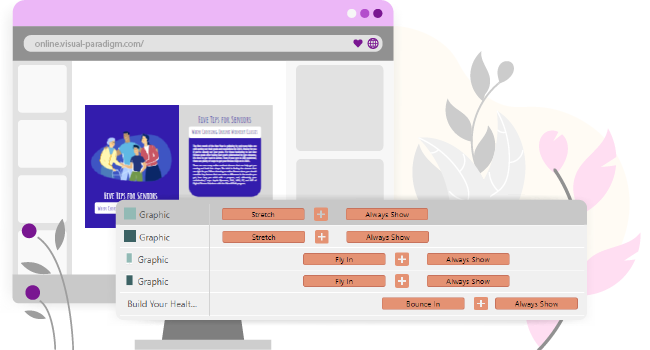
I started with a simple goal: make my product catalog more engaging. After trying basic PDF converters, I discovered Fliplify—and everything changed. The moment I saw my static pages come alive with realistic page-flip effects [[1]], I knew this was different.
Week 2: Adding Personality with AniFuzion
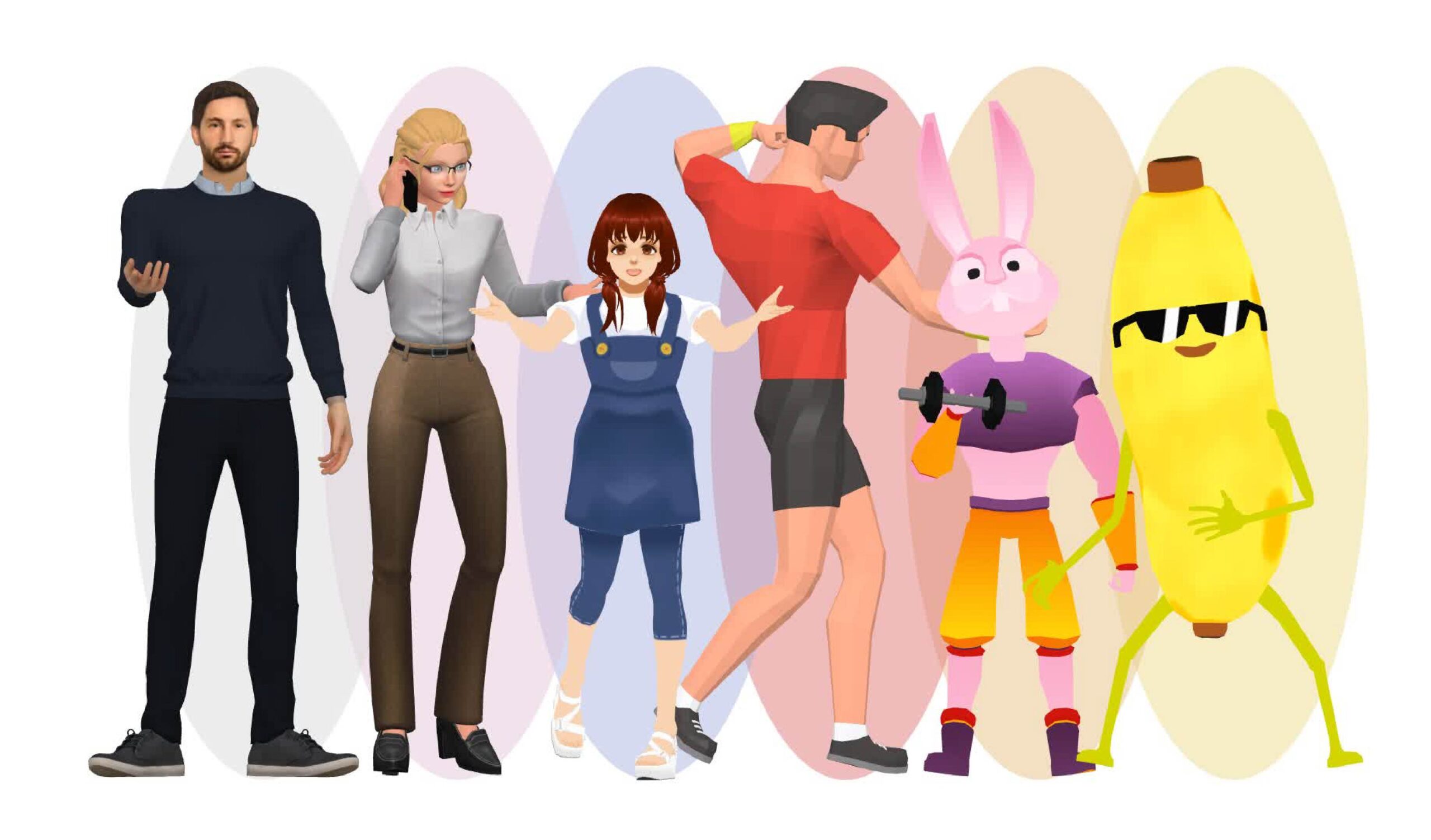
Next, I explored AniFuzion integration. Dragging a 3D animated character onto my welcome page felt like magic. These aren’t just cute avatars—they’re engagement magnets. Studies show interactive content can boost time-on-page by 40%+ [[23]].
Week 3: Animations Without the Headache
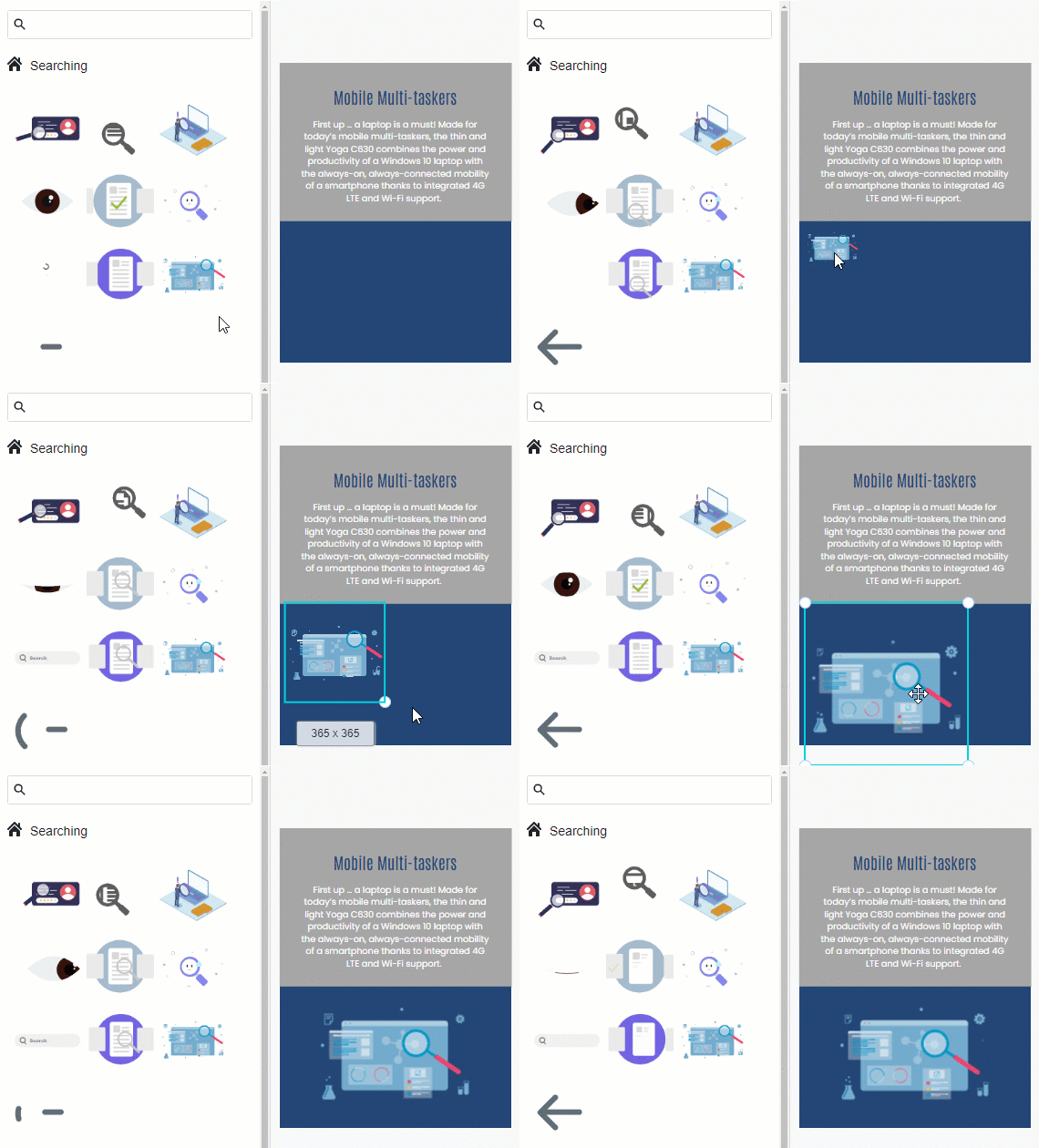
I was worried about complex timelines. But Fliplify’s ready-to-use animation library let me drag, drop, and publish in minutes. No keyframes. No coding. Just results.
Week 4: Tracking What Matters
Finally, I connected Google Analytics. Within 48 hours, I saw exactly which pages readers lingered on, which links they clicked, and where they dropped off. This data became my roadmap for optimization—and my most economical growth tool.
🛠️ Absolute Beginner’s Guide: Create Your First Animated Flipbook in 4 Simple Steps
Step 1: Prepare & Upload Your Content
-
Start with a PDF, Word doc, PowerPoint, or images [[10]]
-
Go to Fliplify’s flipbook creator and upload your file
-
Choose a template or start from scratch with the visual design tool [[12]]
💡 Pro Tip: Keep your source PDF clean and well-organized. Fliplify optimizes large files for lightning-fast editing [[7]].
Step 2: Customize with Drag-and-Drop Simplicity
-
Use the intuitive editor to adjust colors, fonts, and layout
-
Add interactive elements: videos, audio, animated GIFs, or clickable links [[7]]
-
Insert AniFuzion’s 2D/3D characters to bring your story to life [[10]]
Step 3: Animate with Precision (No Experience Needed)
-
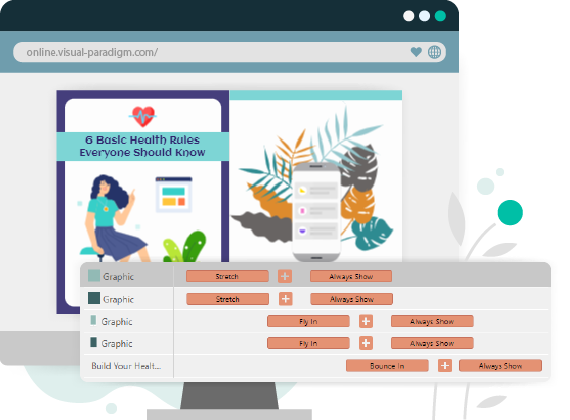
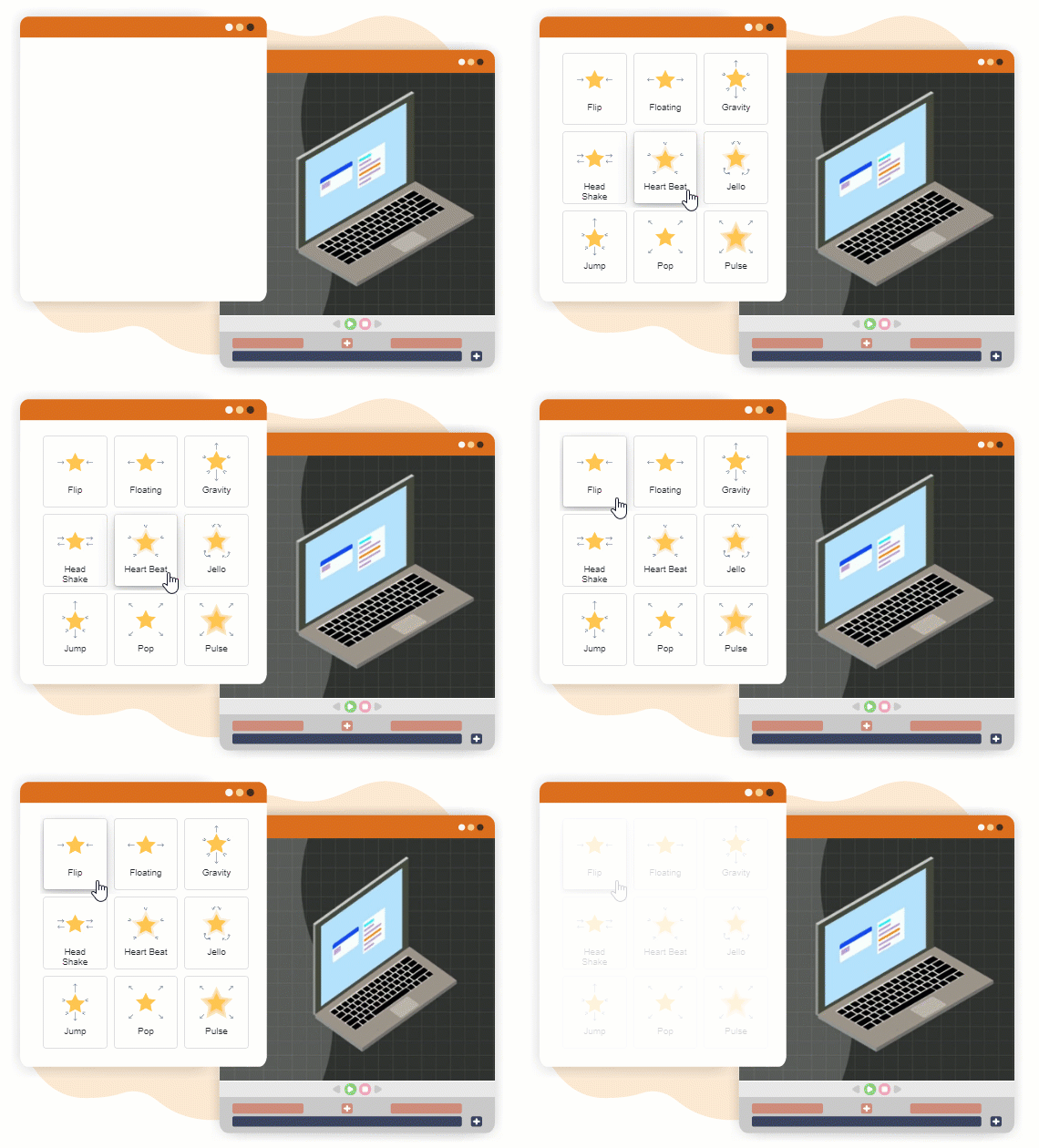
Access the visual timeline to sequence animations exactly when you want them [[8]]
-
Choose from 70+ page transitions (fade, wipe, cube) and customize speed/direction [[1]]
-
Apply motion effects to text, images, or shapes that trigger on page flip [[6]]
Step 4: Publish, Share & Track
-
Publish to Fliplify’s cloud or self-host on your own domain for enterprise control [[11]]
-
Share via URL, embed in your website/blog, or post to social media
-
Crucial step: Add your Google Analytics Measurement ID to start tracking performance [[35]]
📈 How to Boost Your Business & Website Traffic with Animated Flipbooks
1. Turn Passive Readers into Active Engagers
Flipbooks aren’t just pretty—they’re interactive. When readers flip pages, click hotspots, or watch embedded videos, they spend more time with your content. This signals to search engines that your page is valuable, improving SEO rankings [[21]].
2. Create Shareable, Embeddable Content
Every flipbook gets a unique URL. Embed it in blog posts, product pages, or email campaigns. The interactive experience encourages social sharing—expanding your reach organically [[22]].
3. Drive Conversions with Strategic CTAs
Place clickable buttons, product links, or contact forms directly inside your flipbook. Readers can act without leaving the experience, reducing friction and boosting conversion rates [[26]].
4. Build Brand Authority with Professional Polish
A beautifully animated flipbook positions you as innovative and customer-focused. Use it for:
-
Product catalogs & lookbooks
-
Training manuals & onboarding guides
-
Annual reports & case studies
-
Event programs & portfolios
5. Repurpose Content Across Channels
Turn one PDF into multiple assets: a flipbook for your website, a condensed version for email, and animated snippets for social media. Maximize ROI on every piece of content you create [[27]].
🔍 Why Google Analytics Is Your Most Effective & Economical Growth Tool
The Problem: Guessing Doesn’t Scale
Without data, you’re optimizing in the dark. Did readers love your new product page? Did the animated character increase engagement? You can’t improve what you don’t measure.
The Solution: Free, Powerful, Actionable Insights
Google Analytics (GA4) integration is built right into Fliplify—and it costs nothing extra. Here’s why it’s the smartest investment you can make:
✅ Track What Actually Matters
-
Page views & time spent: See which content resonates
-
Click-through rates: Measure CTA effectiveness
-
Traffic sources: Know where your best readers come from
-
Device breakdown: Optimize for mobile vs. desktop
✅ Set Up in Minutes (Seriously)
-
Get your GA4 Measurement ID from Google Analytics Admin [[35]]
-
In Fliplify, go to your flipbook’s Settings > Analytics
-
Paste the ID and save
-
Wait 24-48 hours for data to populate [[35]]
✅ Make Data-Driven Decisions
-
Found a high-drop-off page? Simplify the content or add an engaging animation
-
Seeing great traffic from LinkedIn? Double down on that channel
-
Noticing mobile users struggle? Adjust layout for smaller screens
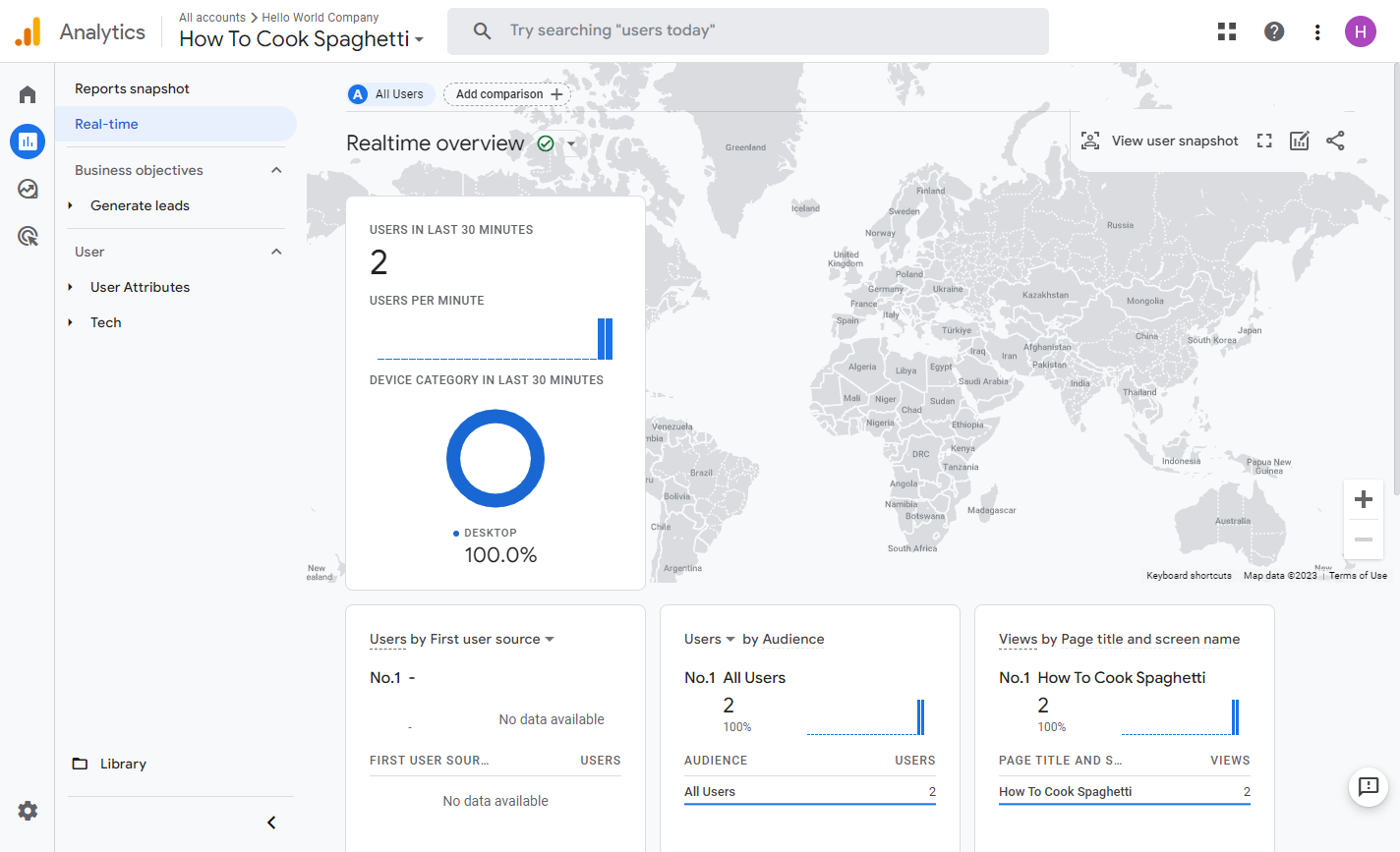
🎯 Key Insight: GA4 doesn’t just report—it guides. Every metric is a clue to better content, higher engagement, and more conversions. And because it’s free, your ROI starts at 100%.
🧰 Essential Features That Make Fliplify + AniFuzion Unbeatable
| Feature | Why It Matters for Beginners | Business Impact |
|---|---|---|
| Realistic 3D Page-Flip | Feels familiar, reduces learning curve | Increases time-on-page & memorability [[1]] |
| AniFuzion 3D Characters | Drag-and-drop avatars with auto-animations | Boosts engagement by 40%+ [[23]] |
| Visual Timeline | Adjust animation timing without code | Professional results, faster iteration [[8]] |
| 70+ Transitions & Effects | One-click animations for any mood | Stand out from static competitors [[1]] |
| Self-Hosting Option | Keep content on your domain | Brand control, enterprise security [[11]] |
| GA4 Analytics Integration | Free, built-in performance tracking | Data-driven growth, no extra cost [[35]] |
| Cloud-Based Access | Edit from any device, anywhere | Collaborate remotely, work flexibly [[7]] |
🎯 Quick Start Checklist: Your First Week with Fliplify
-
Sign up for Fliplify (free tier available)
-
Upload a simple PDF to test the workflow
-
Add one AniFuzion character to your cover page
-
Apply a page transition effect
-
Publish and get your shareable link
-
Connect Google Analytics using your Measurement ID
-
Share with 3 colleagues or friends for feedback
-
Review GA4 data after 48 hours and note one insight
Conclusion: Your Interactive Future Starts Now
Creating animated flipbooks isn’t about flashy tech—it’s about connecting with your audience in a way that matters. With Fliplify and AniFuzion, you don’t need a design degree or a big budget. You just need a story to tell and the willingness to try something new.
And when you pair that creativity with Google Analytics tracking, you turn every flipbook into a learning engine. You’ll know what works, double down on success, and continuously improve—without spending a dime on expensive tools.
🌟 Final Thought: The best time to start was yesterday. The second-best time is right now. Upload your first PDF, add one animation, and take that first step toward content that doesn’t just get seen—it gets remembered.
Ready to create?
👉 Design your first flipbook now
👉 Explore AniFuzion’s 3D characters
🔗 Reference List
- Comprehensive Guide to Fliplify and AniFuzion: Powerful Tools from Visual Paradigm Online: A complete overview of Fliplify’s flipbook creation capabilities and AniFuzion’s 3D animation integration for enhanced digital publishing.
- The Best Animated Flipbook Maker: The Future of Digital Publishing: Explores how animated flipbooks transform static PDFs into interactive experiences that boost engagement and conversion rates.
- Top 10 Flipbook Tools in the Market: A Comprehensive Comparison 2025: Detailed comparison of leading flipbook platforms, highlighting Fliplify’s unique animation and self-hosting advantages.
- The Complete Tutorial to Visual Paradigm Flipbook Maker: Step-by-step walkthrough for beginners to create, customize, and publish professional flipbooks using Visual Paradigm’s tools.
- The Complete Fliplify User Journey: From Static PDF to Interactive Digital Publishing: Chronicles the end-to-end process of converting documents into engaging, analytics-ready flipbooks.
- Visual Paradigm Flipbook Maker: Elevate Your Digital Presence with Dynamic and Engaging Flipbooks: Official blog post detailing how flipbooks enhance brand visibility and user engagement through interactive design.
- Comprehensive Guide to Creating Animated Content for Flipbooks with Visual Paradigm Online’s Flipbook Maker: In-depth tutorial on adding multimedia, animations, and interactive elements to flipbooks for maximum impact.
- Introducing Fliplify: The Ultimate Flipbook Creator with 200+ Fun and Fictitious Avatars: Showcases Fliplify’s library of customizable 3D characters and how they bring flipbooks to life.
- Visual Paradigm’s Flipbook Maker: Setting the Standard for Digital Publishing: Discusses industry-leading features like realistic page-flip physics, SEO optimization, and cross-device compatibility.
- Why Fliplify by Visual Paradigm Online Stands Out—and How AniFuzion Makes It Unbeatable: Explains the competitive edge gained by combining Fliplify’s ease of use with AniFuzion’s advanced 3D animation engine.
- Reference List for Learning Fliplify of Visual Paradigm Online: Curated resources for mastering Fliplify’s features, from beginner tutorials to advanced animation techniques.
- Visual Paradigm’s Flipbook Maker: A Game-Changer for Interactive Content: Highlights how the platform empowers non-designers to create professional, interactive publications from scratch.